
.svg?fit=max&auto=format&n=NwcmN3Uz2rKt7z_Z&q=85&s=5062a9f3b73c4eb9710e4e28d530d3dd)
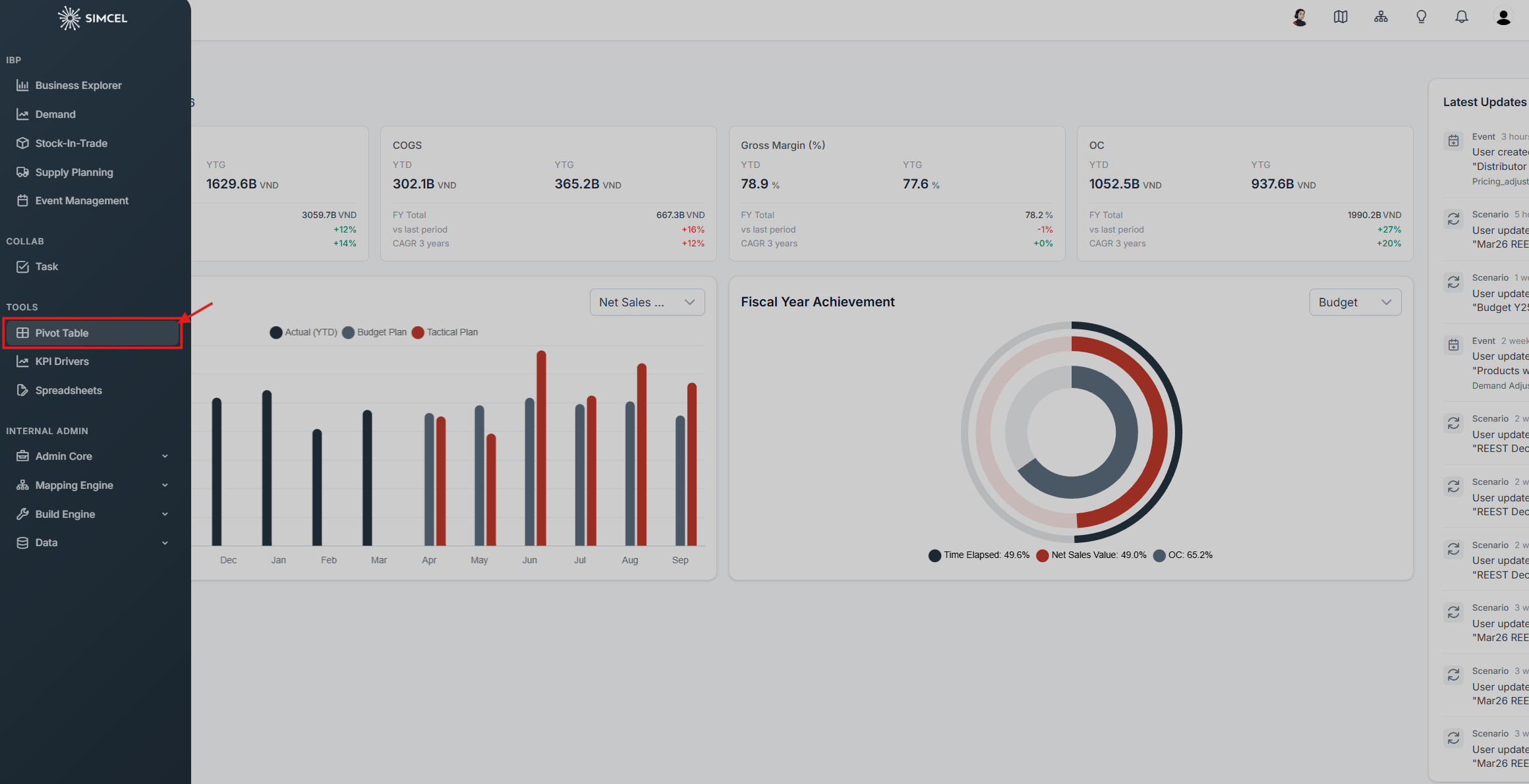
Opening the Pivot Table from the Tools section of the left-side panel
Key features
Dynamic data selection
You can choose datasets and time periods (for example Actuals, Budgets, Plans) to populate the pivot table.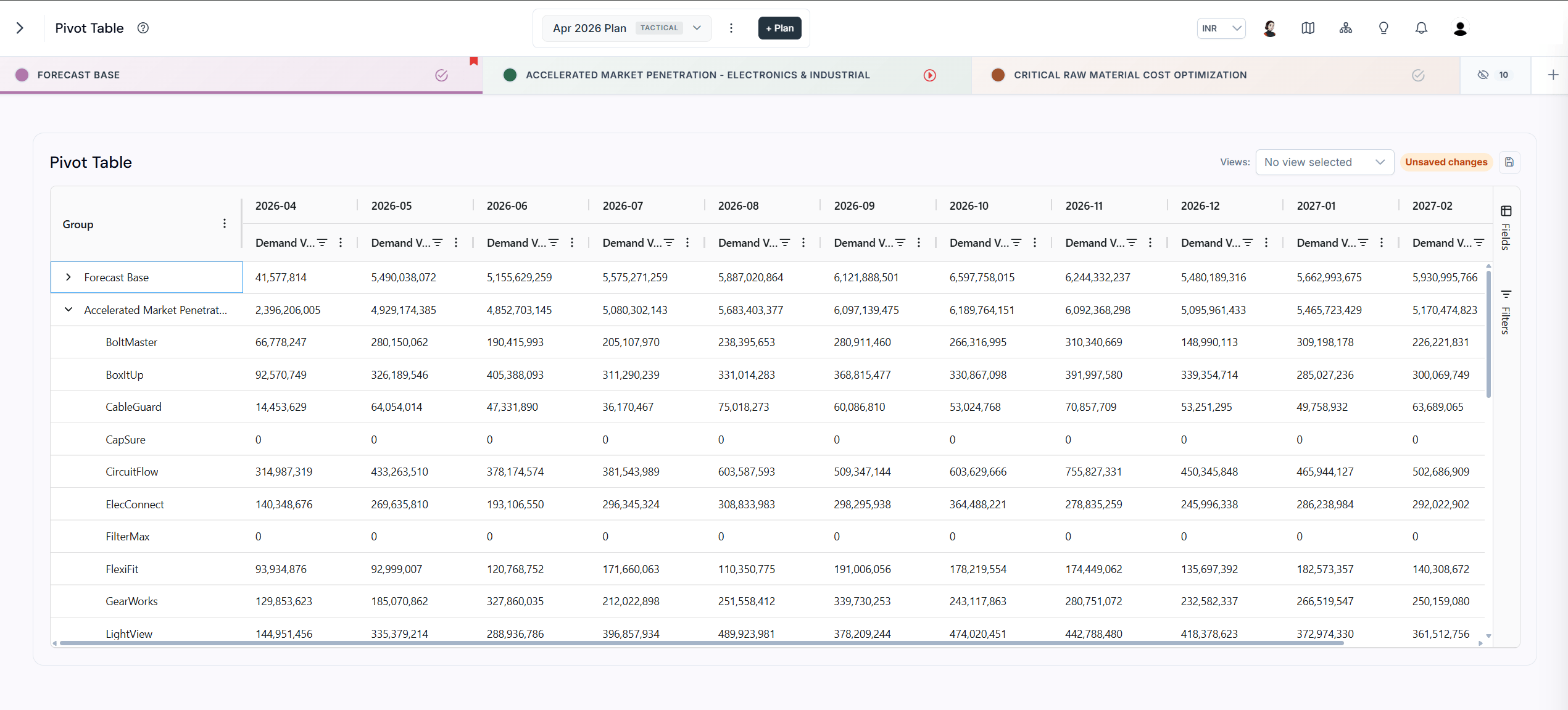
Selecting datasets and time periods to populate the pivot table
Customizable rows and columns
To access the Field List, click the Fields button on the right-side panel of the table.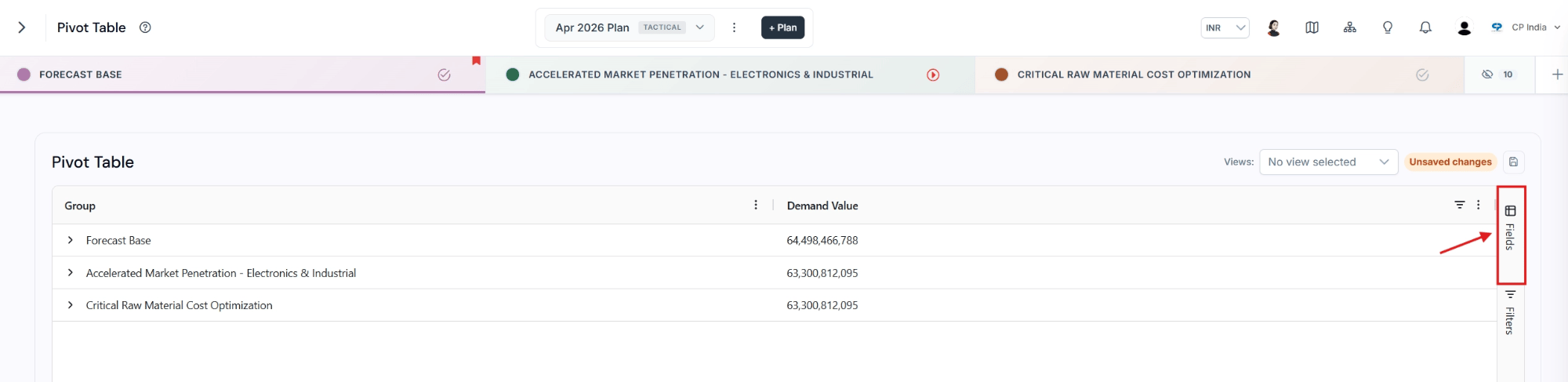
The Fields button on the right-side panel of the table
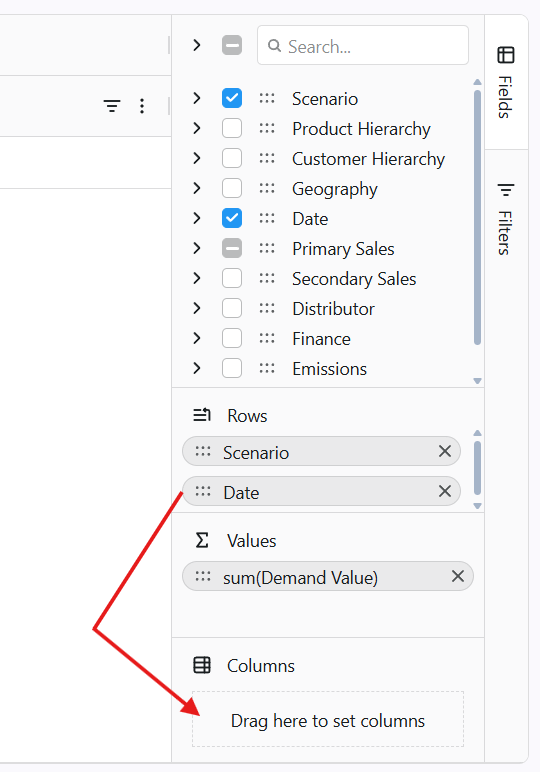
Dragging fields into the rows and columns areas of the Field List
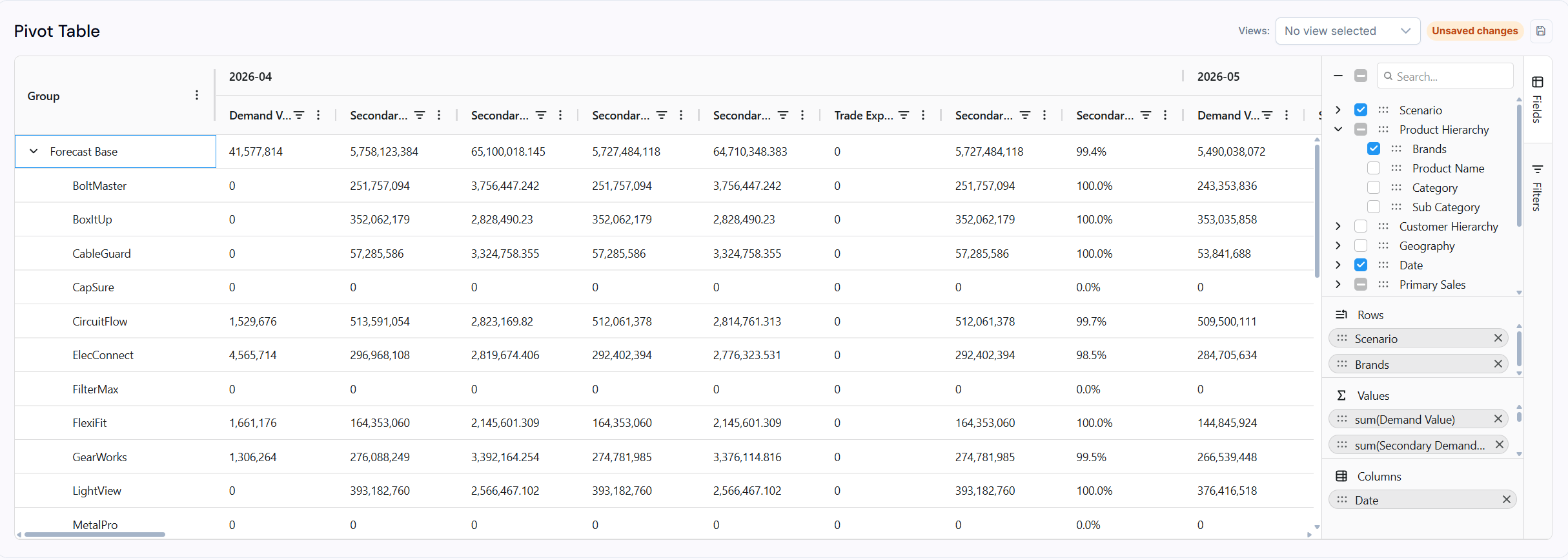
The Field List settings used to customize the pivot table visualization
Summarization options
The Pivot Table provides summary functions such as Sum, Average, Count, and Max/Min for numerical data.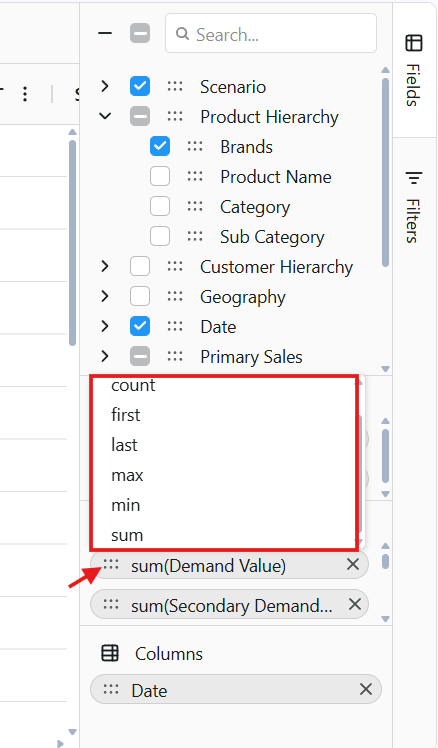
Choosing a summary function for a value field
Multi-level grouping
The Pivot Table supports hierarchical grouping (for example Channel > Sub Channel) by dragging and dropping fields within the Field List settings.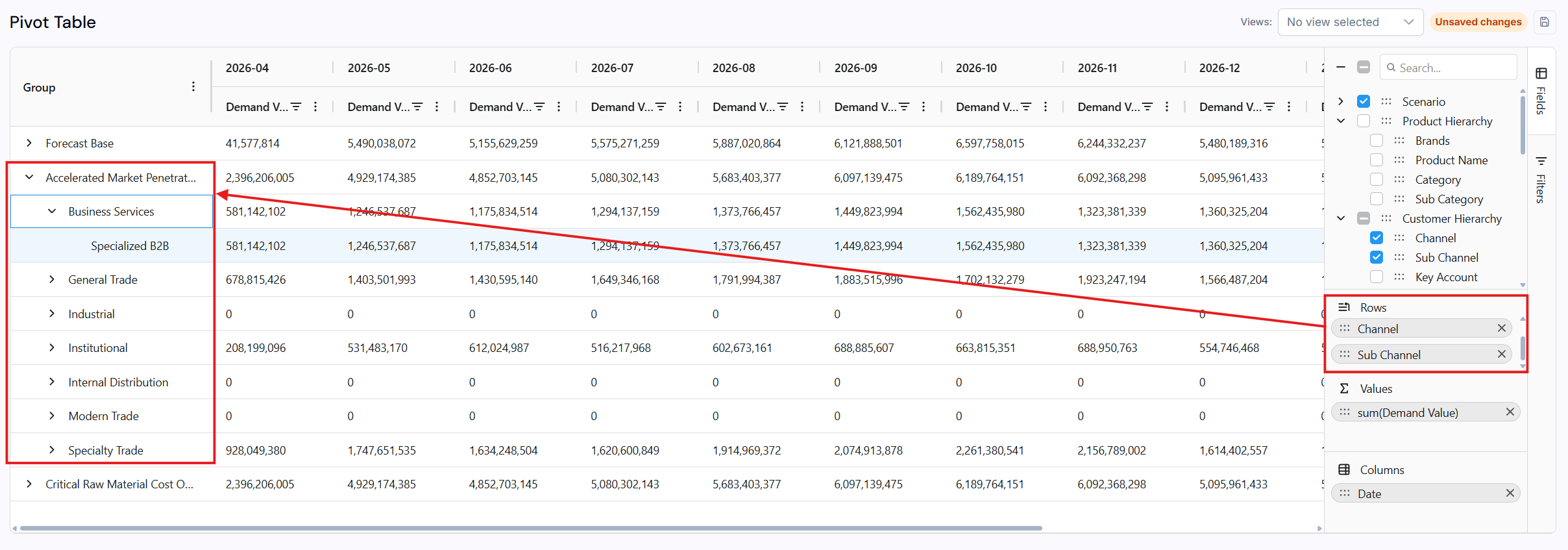
A hierarchical grouping of Channel and Sub Channel in the pivot table
Filtering and sorting
To access the filters, click the Filters button on the right-side panel of the table.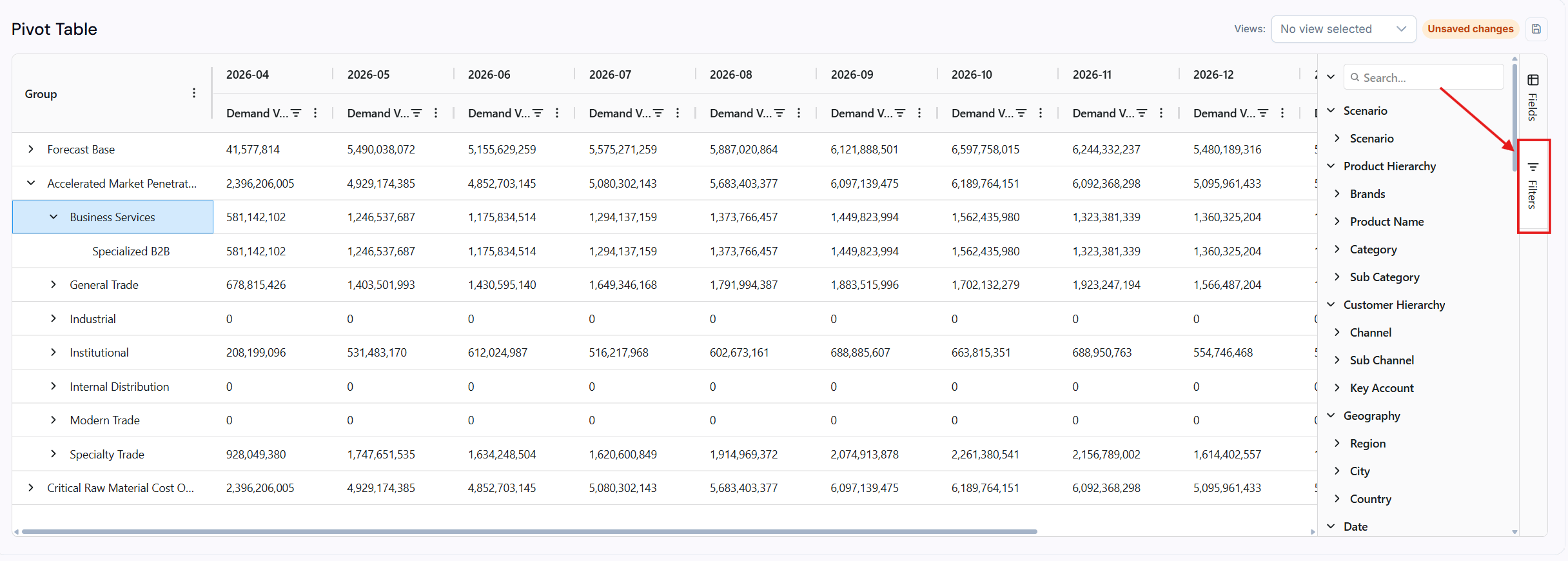
The Filters button on the right-side panel of the table
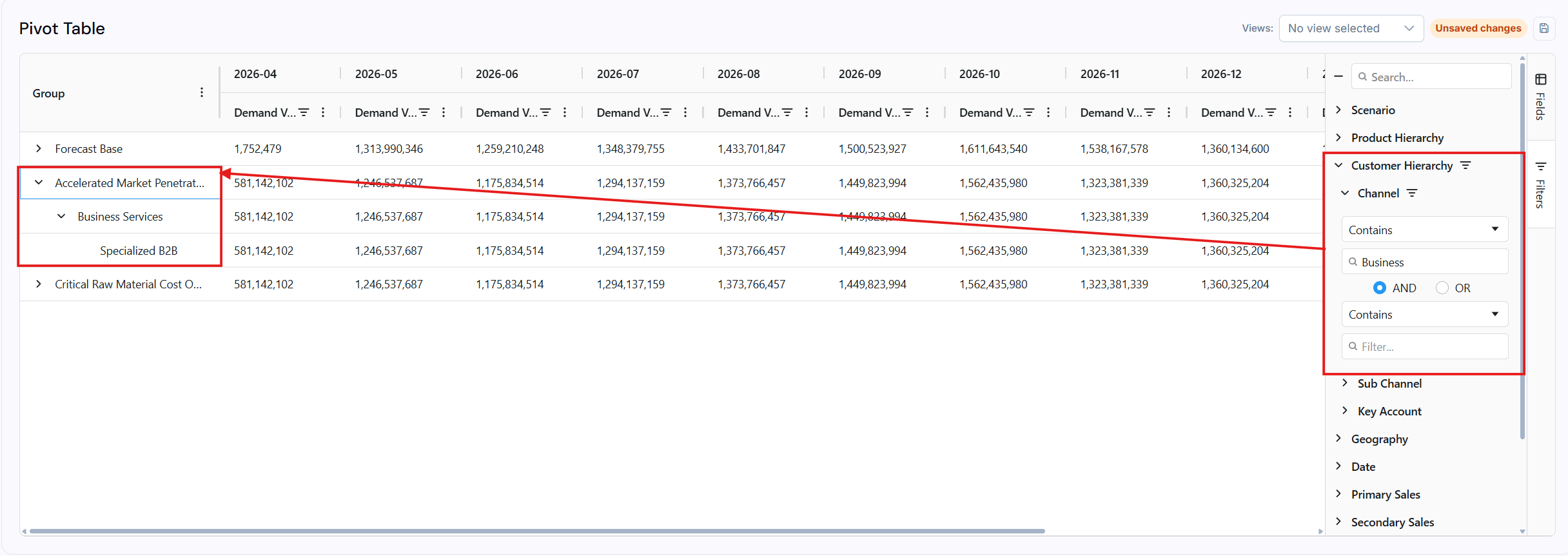
Filtering a field by value or alphabetical order
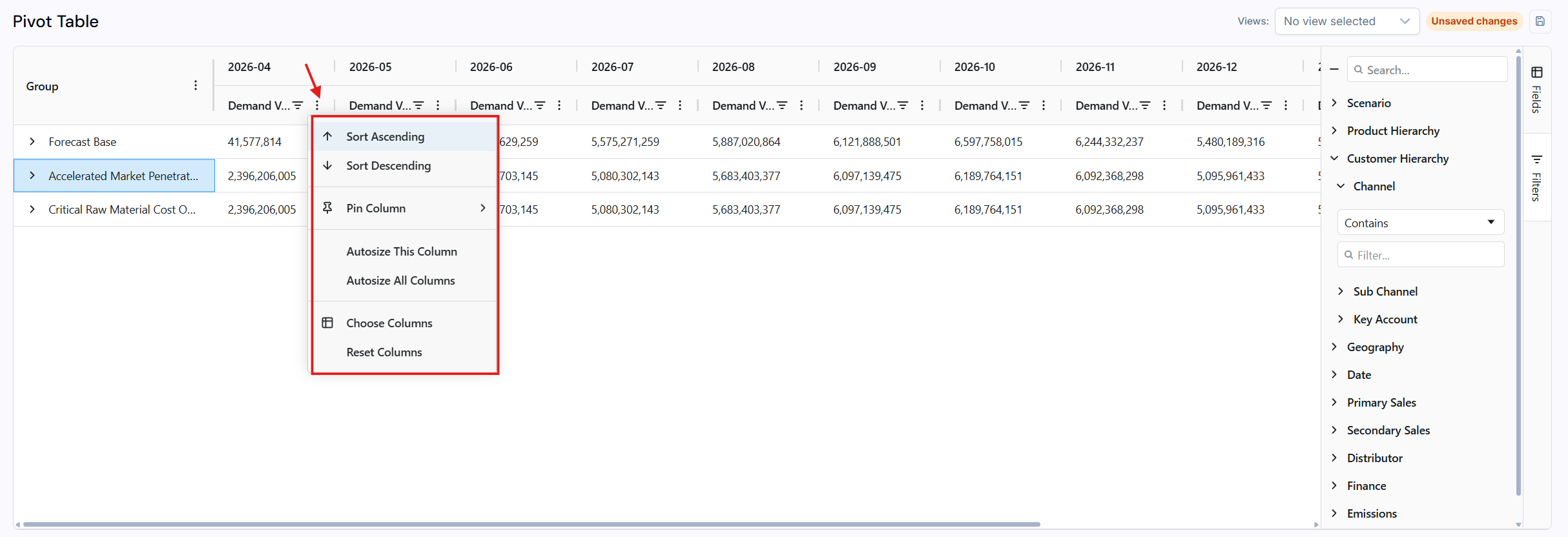
The sorting icon next to a field header in the pivot table
Drill-down capability
You can expand summary values to view the detailed underlying data. The drill-down function becomes accessible when there are at least 3 grouping fields.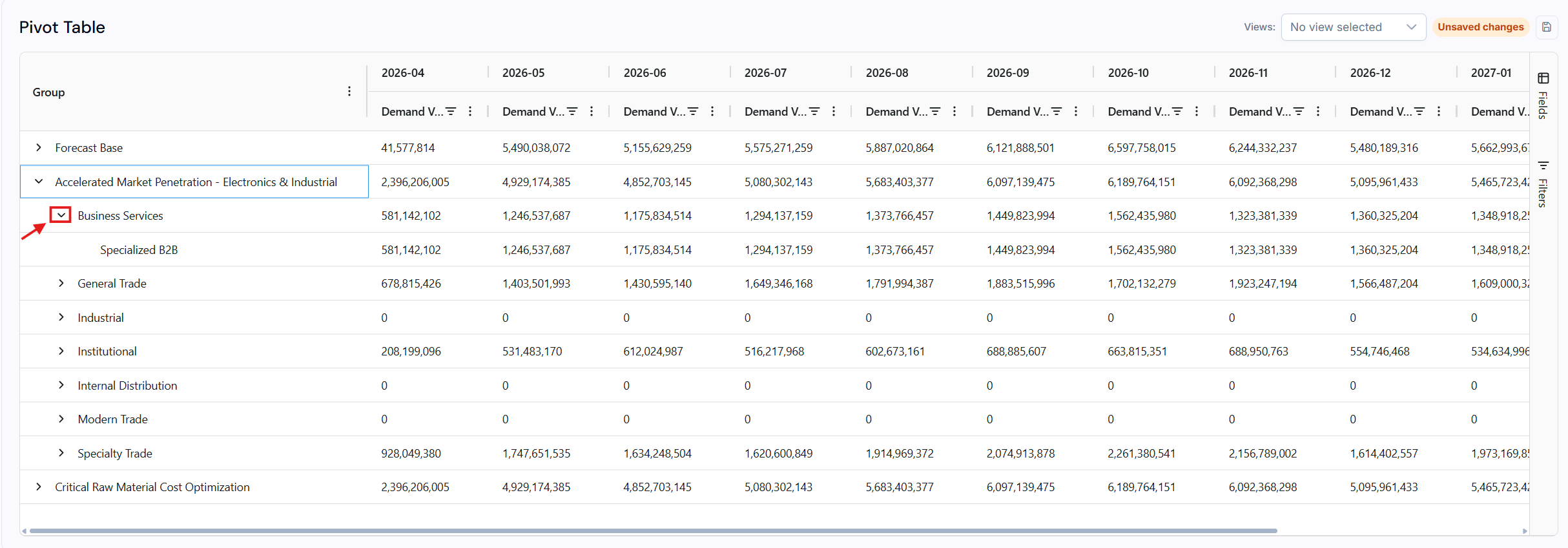
Expanding a summary value to reveal the detailed underlying data
Save and load configurations
You can save customized pivot table configurations for reuse.Dimensions available
Use cases
- Profitability by customer channel - Put Customer Channel on rows, profit KPIs as values
- Demand by brand over time - Put Brand on rows, Time on columns, Demand Value as the value
- Cost breakdown by facility - Put Location on rows, cost KPIs as values
- Scenario comparison - Put Scenario on columns to compare all KPIs across planning scenarios