
.svg?fit=max&auto=format&n=NwcmN3Uz2rKt7z_Z&q=85&s=5062a9f3b73c4eb9710e4e28d530d3dd)
Overview
SIMCEL Sheets is an in-app spreadsheet editor built for supply chain work. It looks and behaves like a familiar spreadsheet, but it is wired into SIMCEL’s planning model, so the data you enter can feed directly into plans, scenarios, and events without leaving the platform. What sets it apart from a generic spreadsheet:- Templates - pre-structured layouts for specific purposes (forecast input, pricing adjustments, scenario overrides). A template knows what data format is expected and how to submit it.
- SIMCEL formulas - a
MASTER()formula that fuzzy-matches free text (product, customer, or location names) against your workspace’s master data. - Lana AI assistant - an embedded assistant that can read selected cells, understand the template, and suggest values.
- Match to Master - a workflow to map raw text values to canonical SIMCEL records.
- System sheets - certain templates become first-class objects in the planning model. For example, a validated Forecast Input sheet becomes a selectable data source in the Plan Drawer.
What is a SIMCEL Sheet?
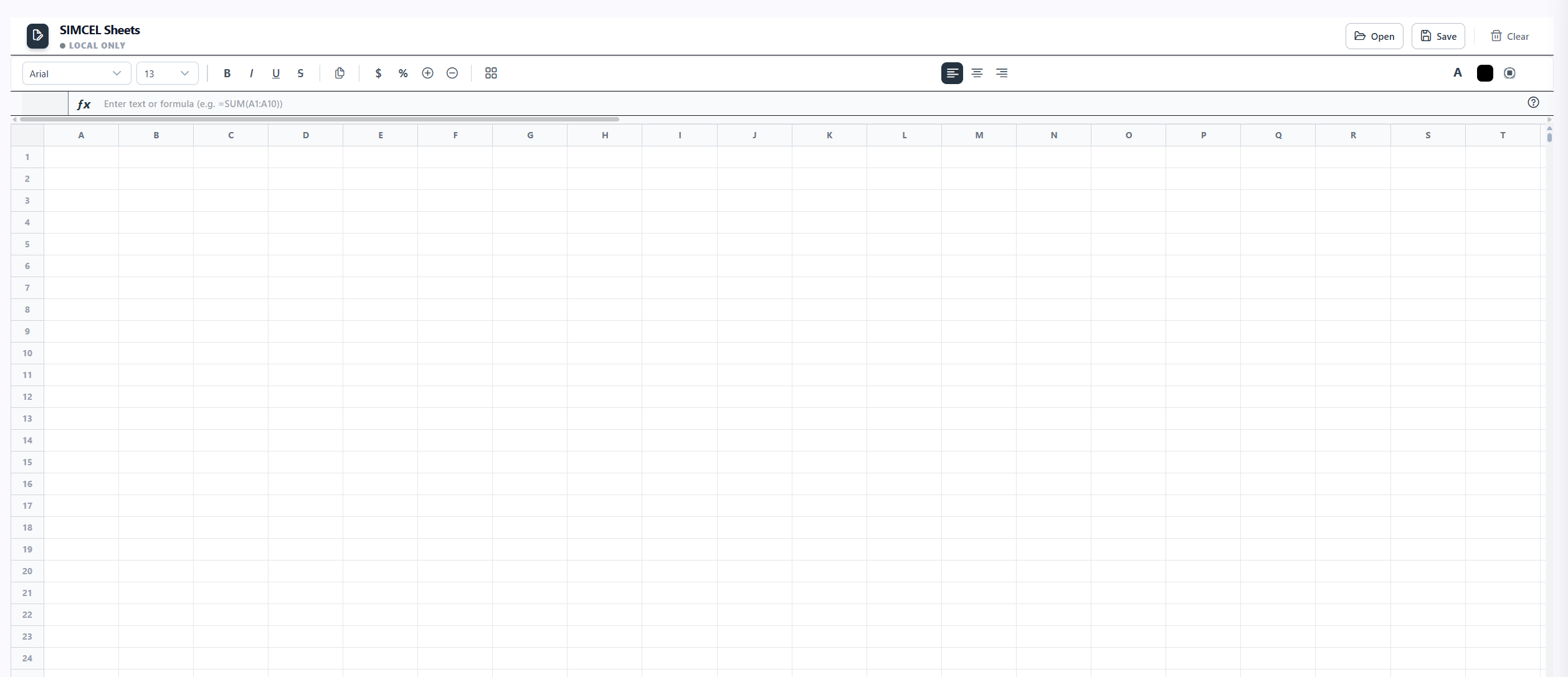
The SIMCEL Sheets editor
- Plain text or numbers - displayed as entered.
- A formula - prefixed with
=, evaluated automatically and shown as the computed result. - Formatting - bold, italic, font size, alignment, number format, colors, and borders.
Navigation and editing
Grid interactions
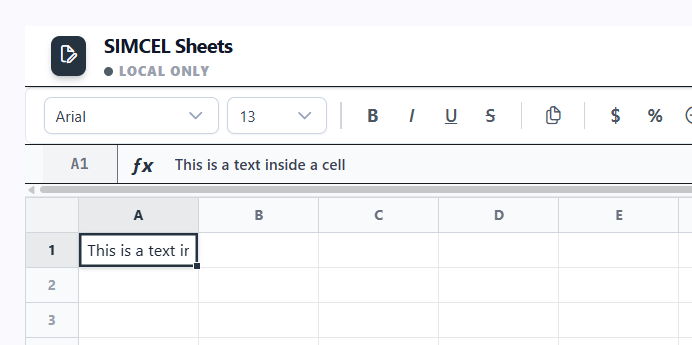
Selecting and editing cells in the grid
- Select a cell - click. Select a range - click and drag, or Shift+click. Select a whole column or row - click its header.
- Edit a cell - start typing to overwrite (Excel-style), or press F2 to edit without clearing.
- Confirm and move - Enter moves down, Tab moves right. Escape cancels the edit.
- Navigate - arrow keys when not editing.
Toolbar

The formatting toolbar above the formula bar
- Font family and size - drop-down selectors.
- Bold / Italic / Underline / Strikethrough - toggle buttons that reflect the active cell’s state.
- Text alignment - left, center, right.
- Number format - currency ($), percentage (%), and increase/decrease decimal places.
- Text and background color - color pickers.
- Borders - a menu for all borders, outside, individual sides, or none.
- Format painter - copy formatting from one cell and apply it to another cell or range.
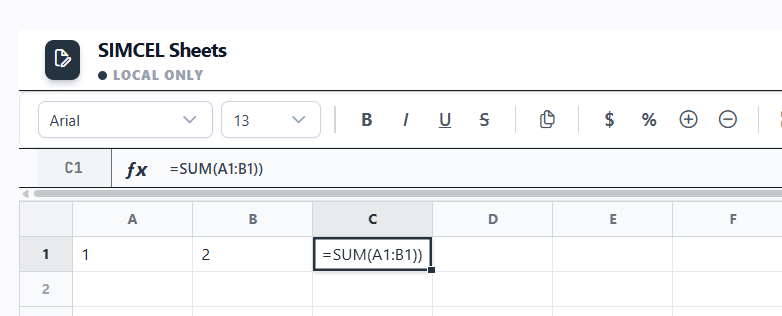
Formula bar

The formula bar showing the raw value of the active cell
Fill handle
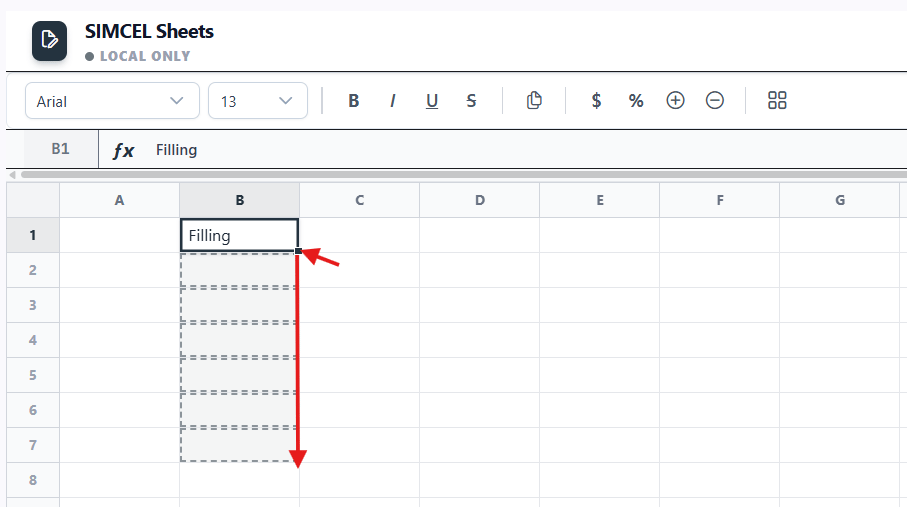
Dragging the fill handle to copy cells down a column
=MASTER(A2) becomes =MASTER(A3) one row down.
Copy, paste, and cut
Use the standard shortcuts (Ctrl+C / V / X). Paste supports CSV data, so you can move data to and from Excel or Google Sheets. Pasting a multi-cell range fills outward from the active cell.Insert and delete rows and columns
Right-click any row or column header to insert above/below or left/right, or to delete. Column widths are resizable by dragging the right edge of a column header.Cell context menu
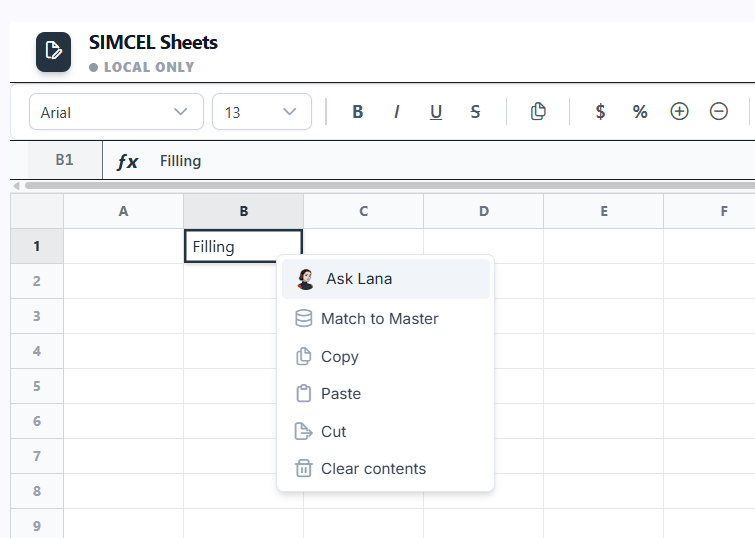
The right-click context menu for a cell
Saving and opening
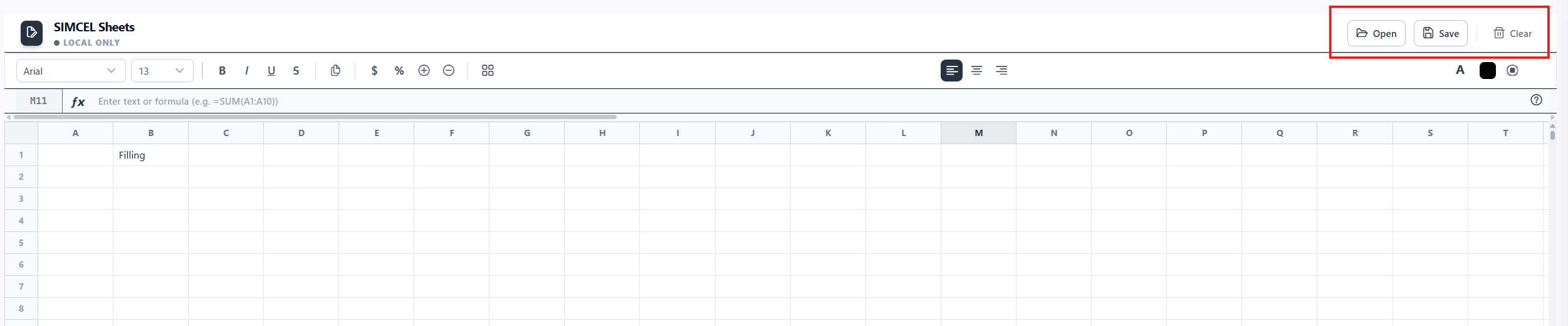
The Open Sheet panel listing blank, system, and saved sheets
- Save - click Save (top-right). On a new sheet, a Save Spreadsheet dialog asks for a name. Saved sheets persist to your workspace, and the last sheet you opened is restored on your next visit.
- Open - click Open to see the Open Sheet panel. From there you can start a New Blank Sheet, start a New System Sheet (template-based), or reopen any sheet under My Sheets, each listed with its template type, cell count, and last-modified date. You can also delete sheets from this panel.
- Clear - empties the current grid.
Formula system
The built-in Formula Reference
=. Formulas evaluate automatically as you edit. A built-in Formula Reference (the help icon) lists all available formulas grouped into Math, Statistical, Text, and Logical categories, each with syntax and an example.
Standard formulas include:
The MASTER() formula
=MASTER(ref) fuzzy-matches the value in a referenced cell against your workspace’s master data (products, customers, locations) and returns the best canonical match. Add a field to return a specific attribute: =MASTER(ref, "field").
Supported fields include productId, brands, category, subCategory, channel, country, and region. Omitting the field returns the best-matching canonical name.
~value, and anything below 20% shows #NO_MATCH. While a lookup is running, the cell shows #RESOLVING.
Error states: #RESOLVING (lookup in progress), #NO_MATCH (no match above threshold), #ERROR! (formula could not be parsed or evaluated).
Match to Master
When you paste product, customer, or location names from an outside source (an ERP export, an Excel file, an email), they rarely match SIMCEL’s canonical names exactly. Match to Master bridges that gap with a guided fuzzy-matching workflow.1
Select the raw values
Select the cells containing the raw values, for example “coke can 330” or “walmart US east”.
2
Open Match to Master
Right-click and choose Match to SIMCEL.
3
Pick the entity type
Choose Products, Customers, or Locations.
4
Search
Click Search. A results table shows each original value, its best-match candidate with a score percentage, and a drop-down to pick an alternative.
5
Review and apply
Accept or reject each row, then click Apply. Matched cells update to the canonical value and get a subtle green highlight.
#NO_MATCH) cells. A Fix All button auto-applies the best suggestion for every uncertain or unmatched cell.
Normal sheets vs system sheets
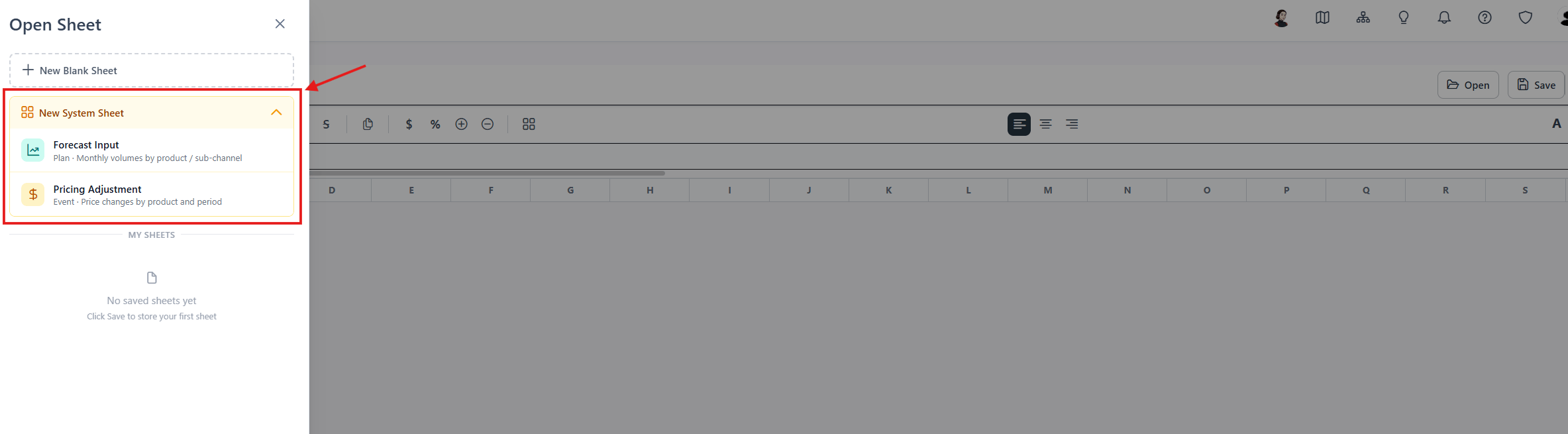
Choosing between a blank sheet and a system sheet template
Forecast Input template
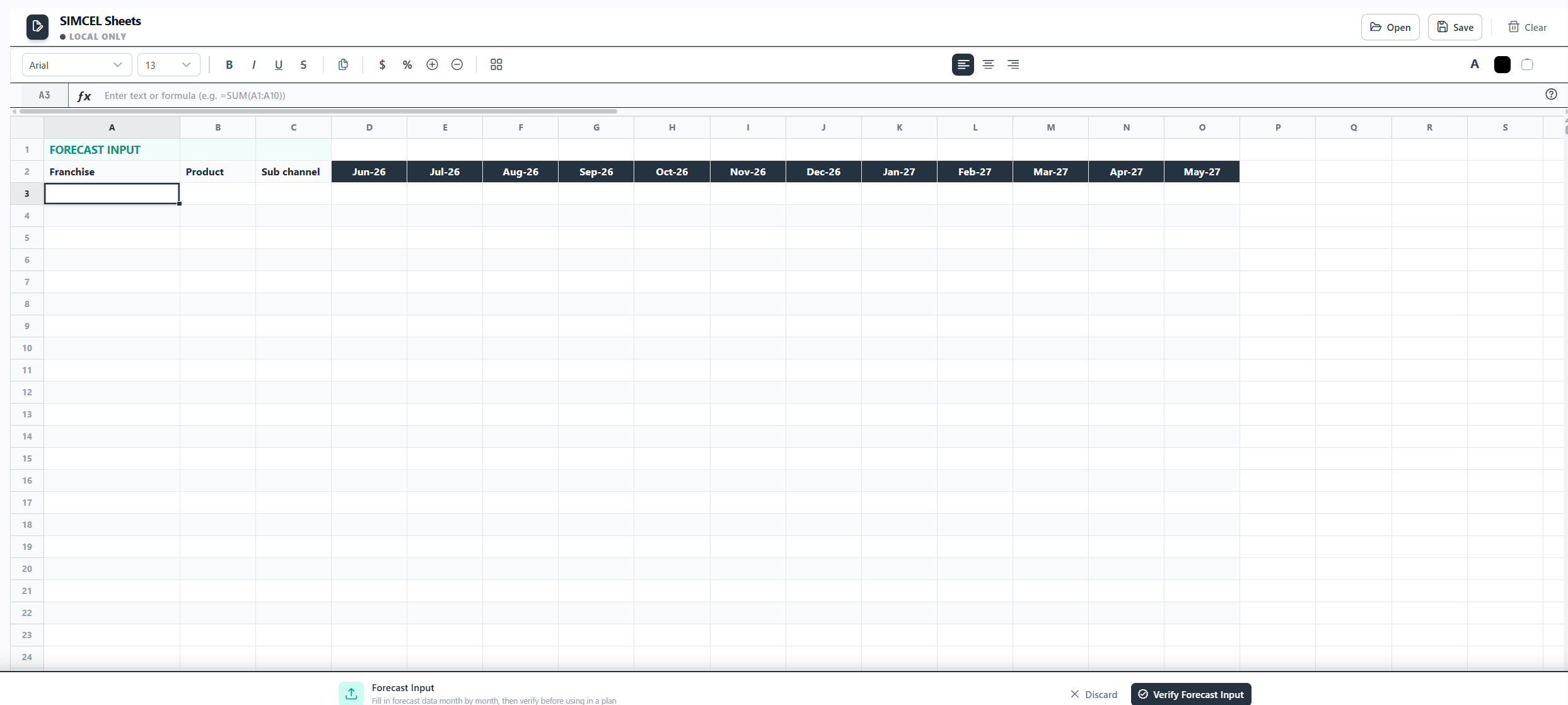
The Forecast Input template, with product, sub-channel, and month columns
Mon-YY format, for example Jan-25), then one data row per product x sub-channel combination with numeric monthly values.
To submit, fill the template, then click Verify Forecast Input. The system checks that at least one data row exists, the month headers are valid, and the sheet has been saved. On success, the action bar shows a green Validated badge and the sheet appears in the Plan Drawer’s Forecast Input selector. Reopening a validated sheet restores the Validated badge automatically.
Pricing Adjustment template
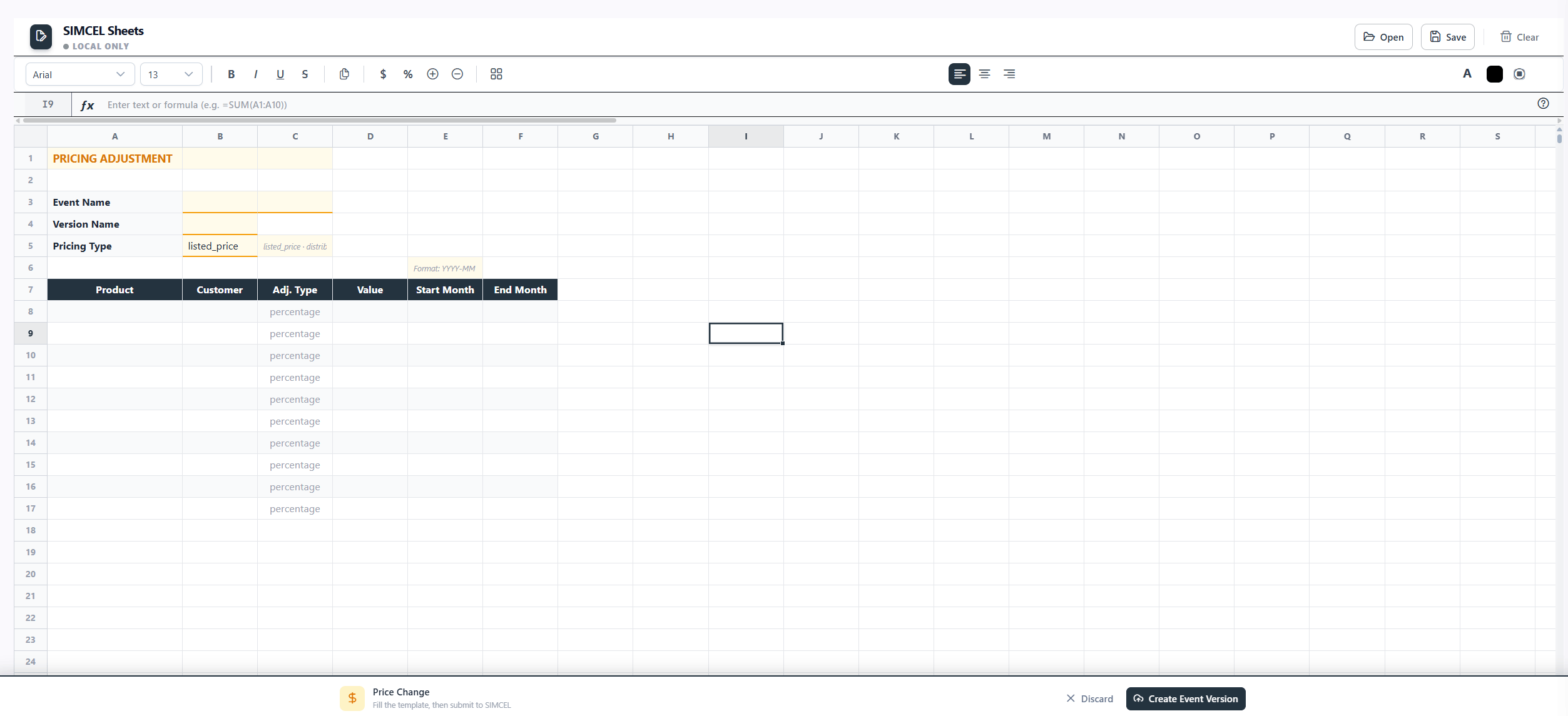
The Pricing Adjustment template, with event metadata and monthly price rows
YYYY-MM format. The supported price types are listed price, distributor price, and secondary price.
To submit, fill in the metadata and price rows, then click Submit. SIMCEL reads the metadata, transforms the data rows, infers the date range from the month columns, and creates or updates the event version. On success, the template clears and a confirmation appears.
The Forecast Override and New Demand Stream templates work the same way, with the same metadata structure and submission mechanism. They just carry different data and create different event types.
Lana AI assistant
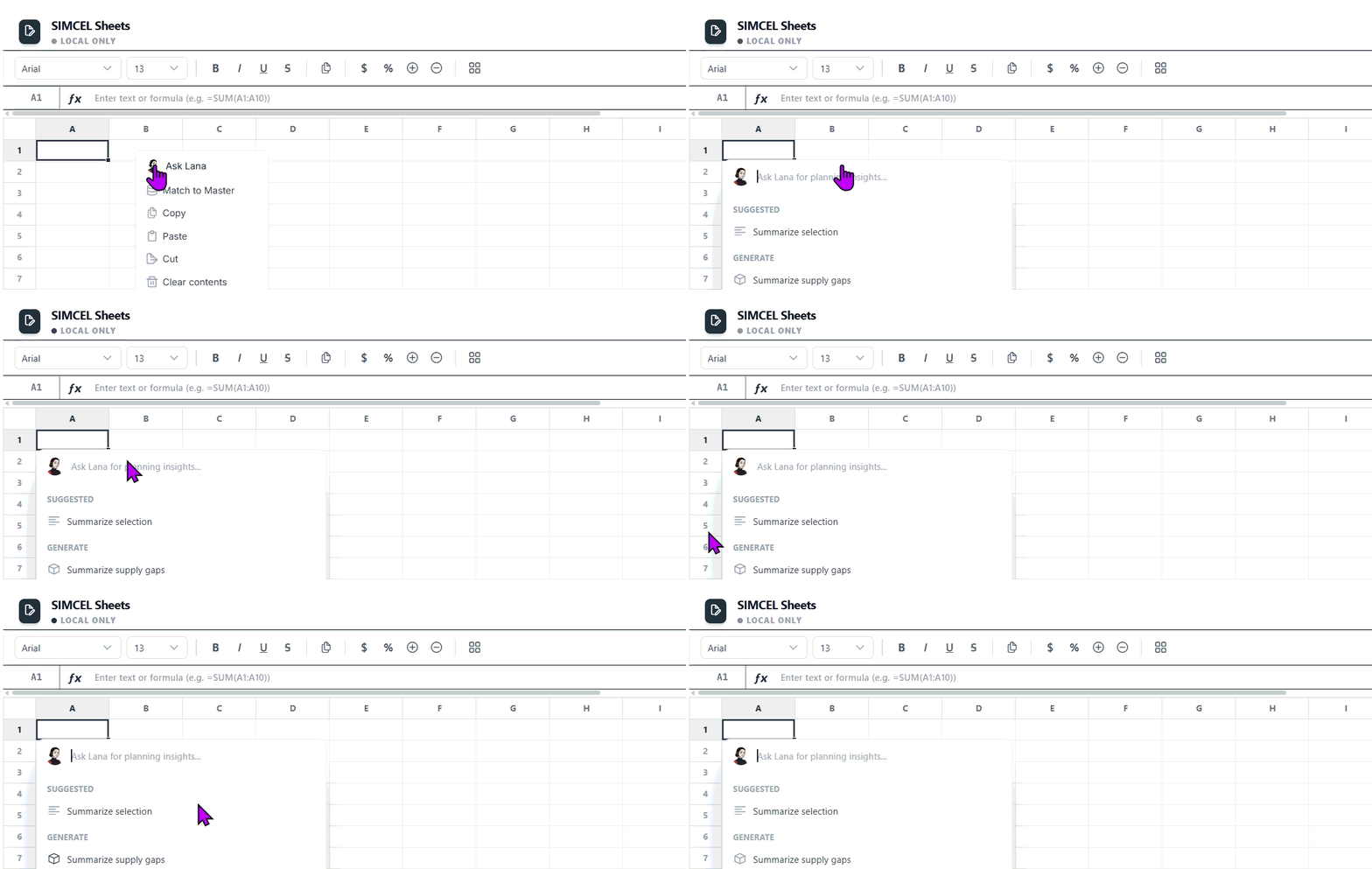
Asking Lana for cell-level suggestions and applying them to the grid
The Lana integration is live and functional. The specific use cases for each template, such as suggesting forecast values from historical context, flagging data-quality issues, or explaining formula results, are still being defined and will be documented as they are validated.