
.svg?fit=max&auto=format&n=NwcmN3Uz2rKt7z_Z&q=85&s=5062a9f3b73c4eb9710e4e28d530d3dd)
Definition
Contextual comments let you collaborate directly inside object drawers. Instead of managing feedback in separate tools, comments are embedded in the planning view, keeping discussions tied to the right context. All communication, decisions, and attachments stay visible and connected to the relevant object.Adding a comment
Open the Comments tab inside any object’s drawer to post a comment. Comments appear directly under the object they relate to, so your input is always visible in context. Mention teammates using@username with autocomplete to notify them directly.
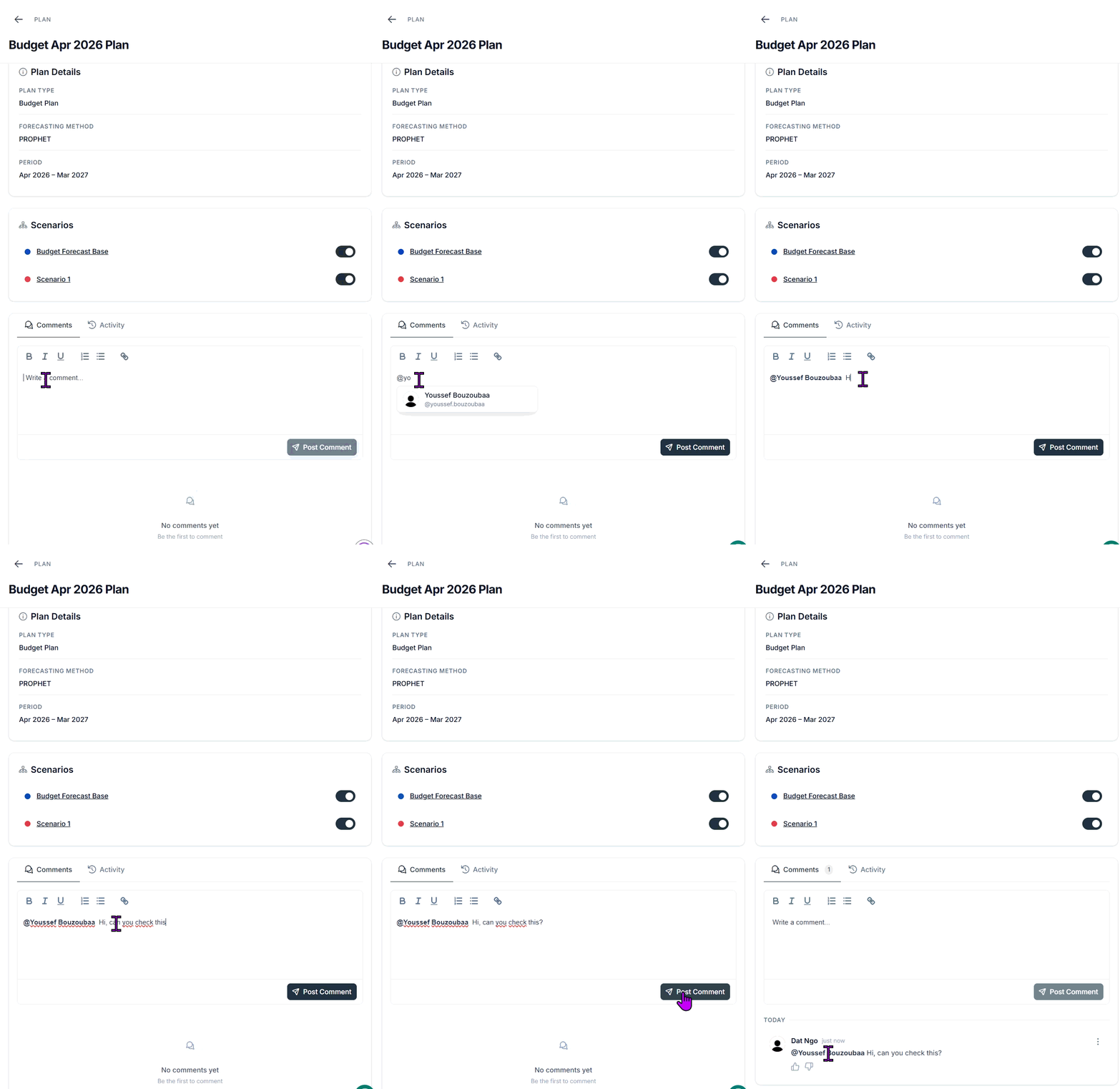
Posting a comment in an object drawer and mentioning a teammate
Grouping and ordering
All comments are grouped by day, with the newest groups always displayed at the top of the thread. Within a group, comments appear in chronological order, preserving the natural flow of discussion. This lets you quickly catch up on the most recent conversations without losing track of earlier exchanges.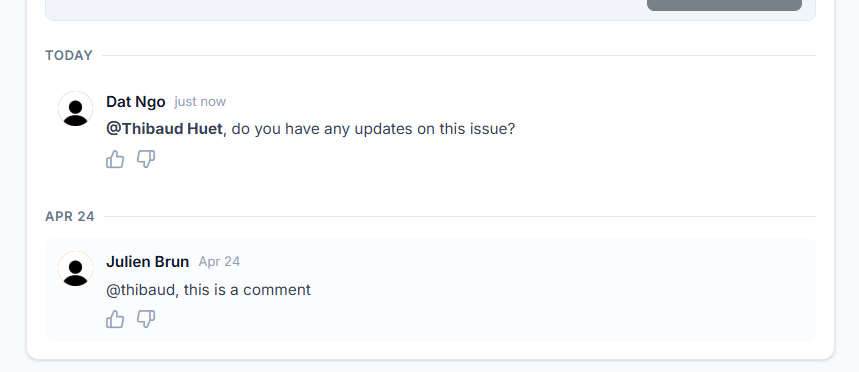
Comments grouped by day, newest first
Managing and reacting to comments
You can interact with comments in several ways to keep conversations clear and engaging. Edit or Delete your own comments to correct mistakes or remove outdated information.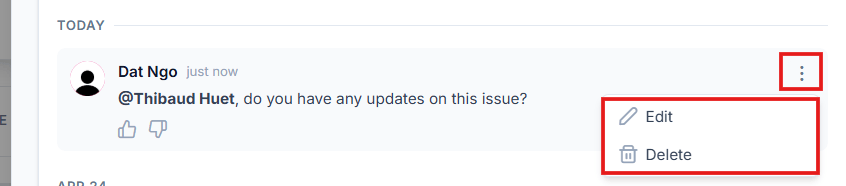
Edit and delete controls on your own comment
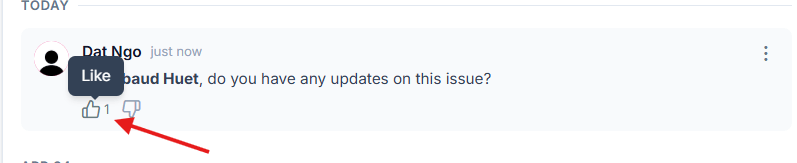
Like and dislike reactions on a comment