
.svg?fit=max&auto=format&n=NwcmN3Uz2rKt7z_Z&q=85&s=5062a9f3b73c4eb9710e4e28d530d3dd)
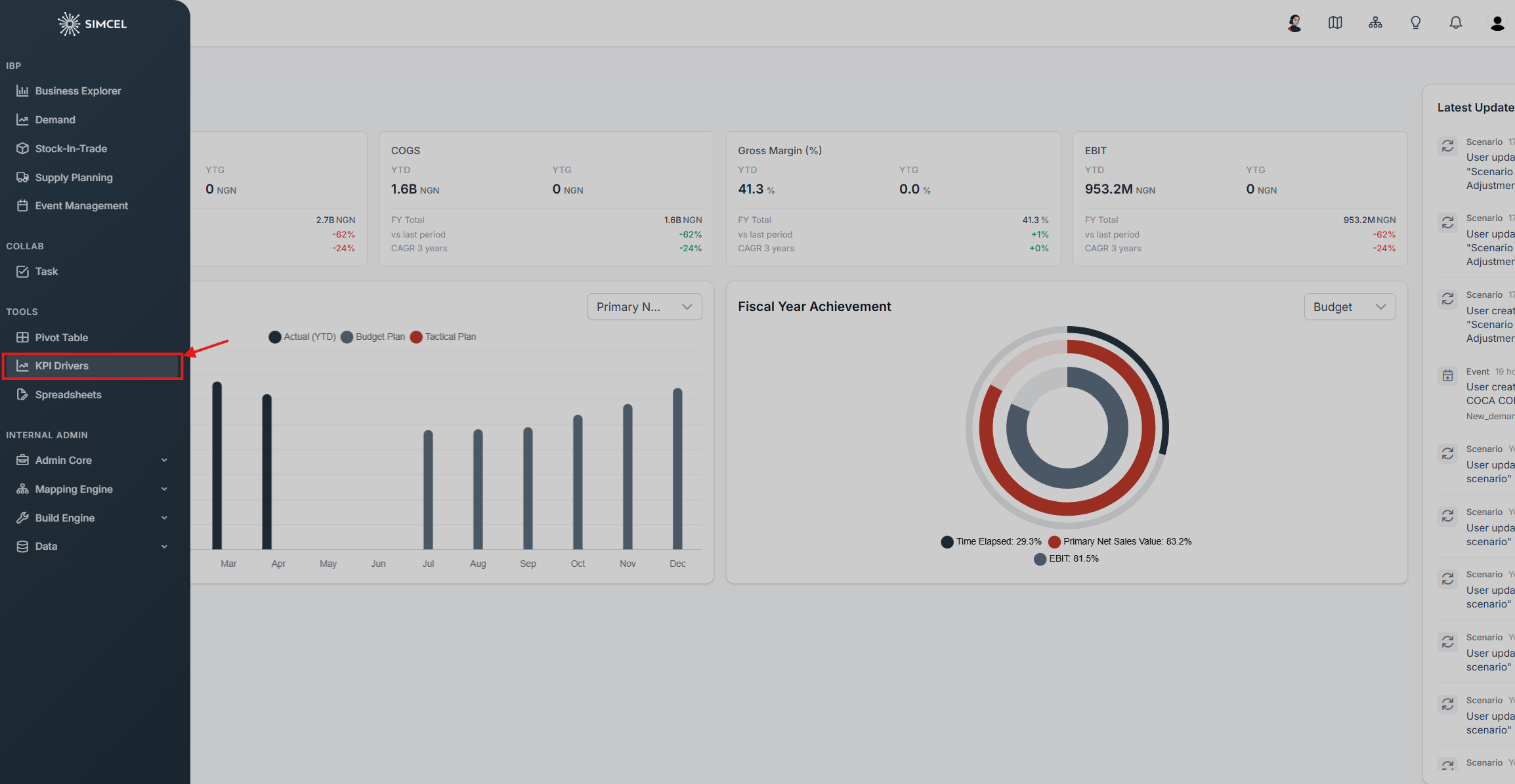
Opening KPI Drivers from the Tools section of the left-side panel
How to use it
1
Define parameters
- Dimension 1 (x-axis): Select the first category to segment data (for example, product ID or category).
- Dimension 2 (x-axis): Select the second category for further segmentation.
- Display: Choose the top 10 or bottom 10 values for KPI 1 or KPI 2.
- KPI 1 (bar, left y-axis): Choose the first key performance indicator.
- KPI 2 (line, right y-axis): Choose the second key performance indicator.
2
Analyze results
The chart updates automatically to display the relevant data.
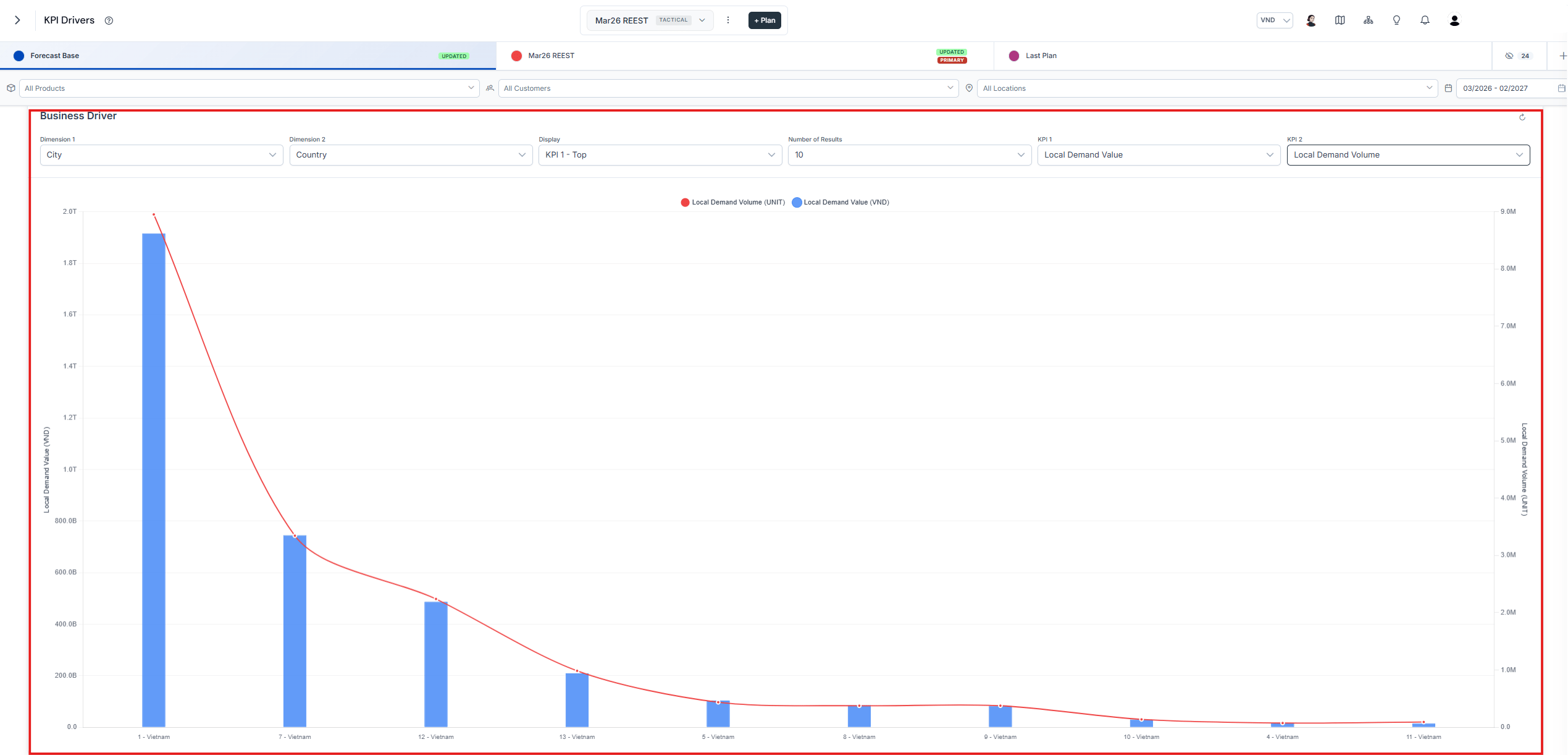
The KPI Drivers chart, with KPI 1 as bars and KPI 2 as a line
Example
Scenario: Identify the products with the highest demand and evaluate their service levels country wide.- Dimension 1: Product ID
- Dimension 2: Country
- Display: KPI 1 - Top 10
- KPI 1: Unconstrained Gross Sales In Value
- KPI 2: Service Level
- Action: Investigate low service levels, alert headquarters to increase supply, and develop a plan to improve service levels.