
.svg?fit=max&auto=format&n=NwcmN3Uz2rKt7z_Z&q=85&s=5062a9f3b73c4eb9710e4e28d530d3dd)

The Plan Realization report comparing datasets across the fiscal year
Key features
Display controls

The display controls above the Plan Realization report
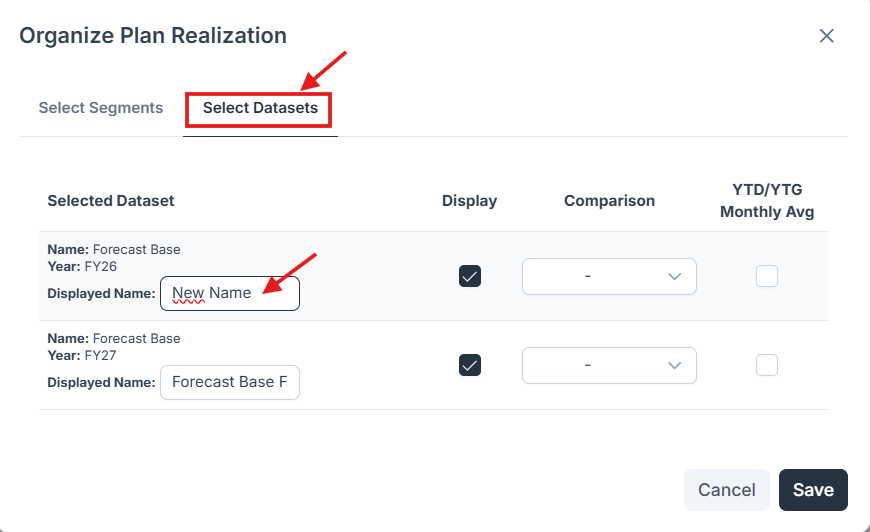
Renaming a dataset column
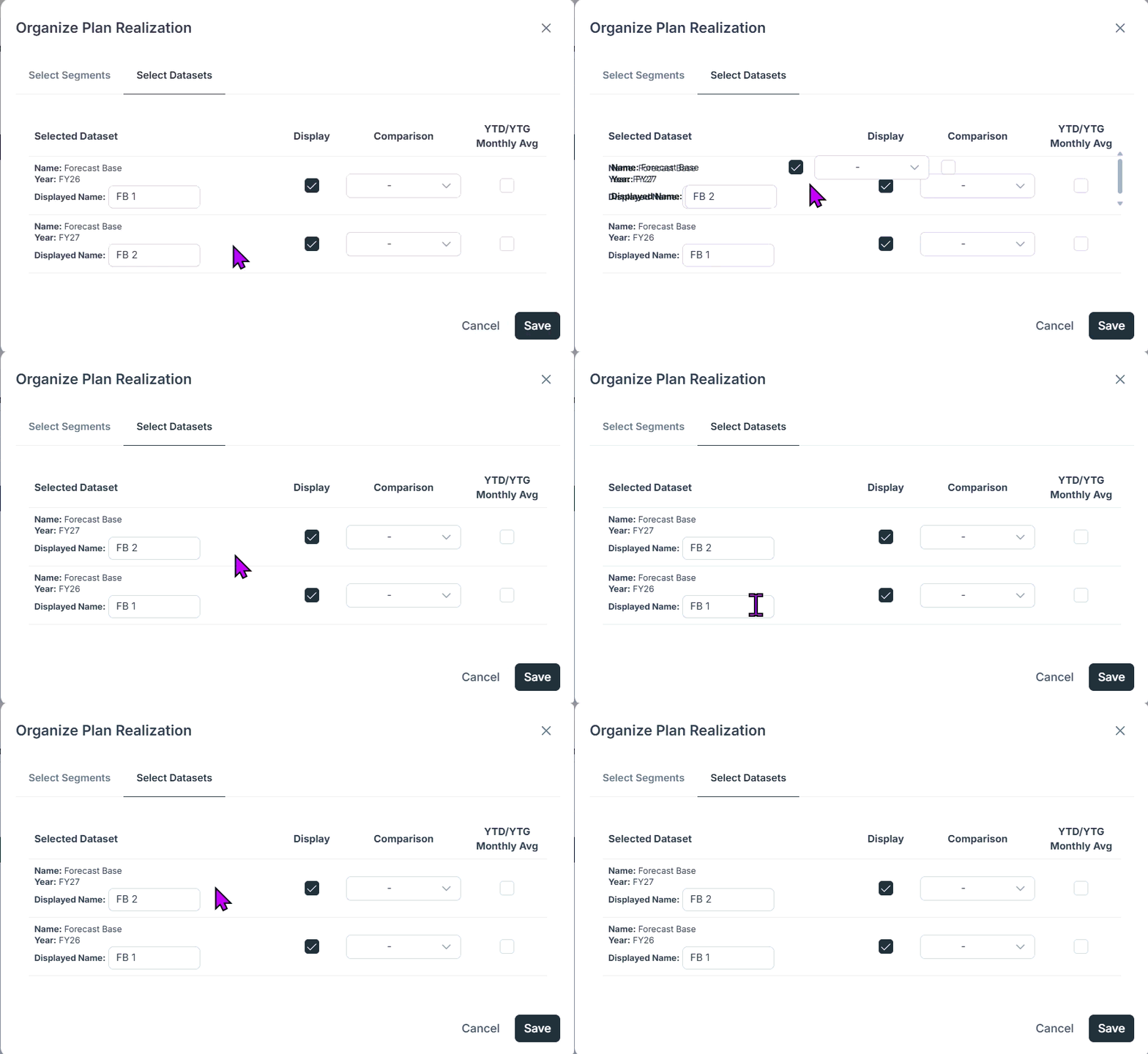
Dragging a column to a new position in the report
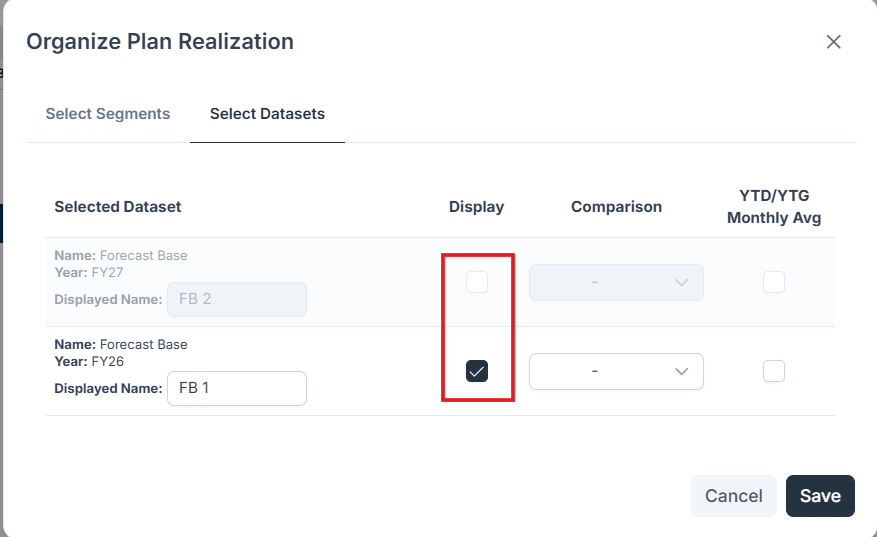
Toggling the visibility of individual columns
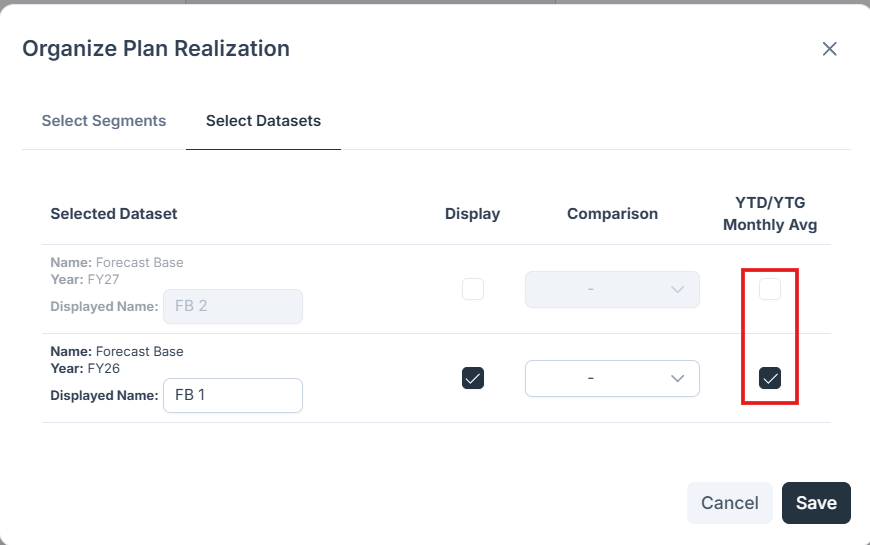
Toggling the Average YTD and YTG month blocks
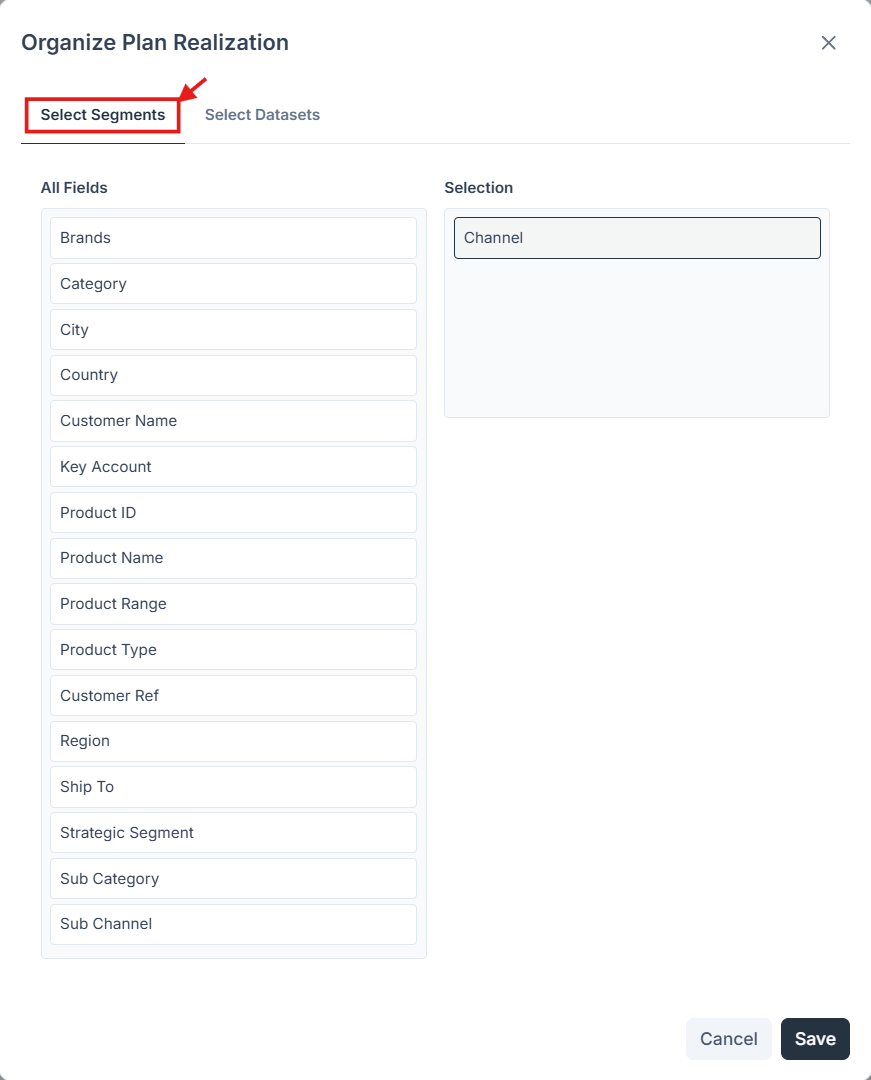
Choosing the segment hierarchy used to group the report
Summary insights
- FY total, YTD total, and YTG total
- Monthly averages for YTD and YTG
- YTD vs. YTG gap in value and percentage

Summary insights across FY, YTD, and YTG
Period logic
In this widget, the plan’s start month is applied for every fiscal year available when calculating all the YTD/YTG periods.
Automatic full-year stitching: Where a selected dataset has no value for the past period, the report auto-fills with the Actual or Last Plan value.
Comparison engine
The report shows the absolute and percentage variances between the displayed and referenced datasets, so you can quickly see where you are on track, where you are at risk, and the magnitude and direction of each deviation.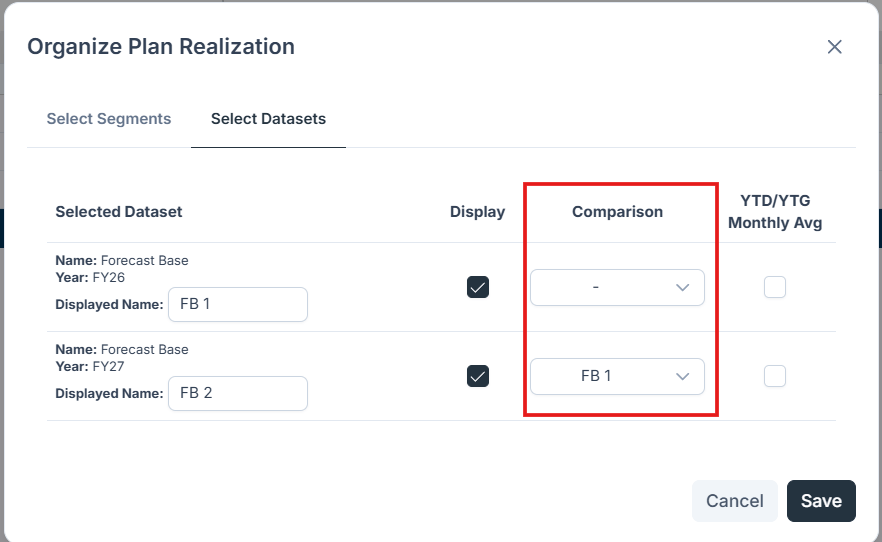
Absolute and percentage variances between the displayed and referenced datasets

The comparison results across the full report