
.svg?fit=max&auto=format&n=NwcmN3Uz2rKt7z_Z&q=85&s=5062a9f3b73c4eb9710e4e28d530d3dd)
Definition
A Demand Adjustment Event is a specific occurrence or planned activity that is expected to cause a significant deviation from the typical demand patterns for a product or customer segment. These events can lead to either an increase or a decrease in demand and are essential for accurate demand planning. Demand adjustment events help you anticipate changes in demand so you can adjust your supply chain operations proactively.Access the Event Management page
Click Event Management in the left side panel to open the SIMCEL Event Management page.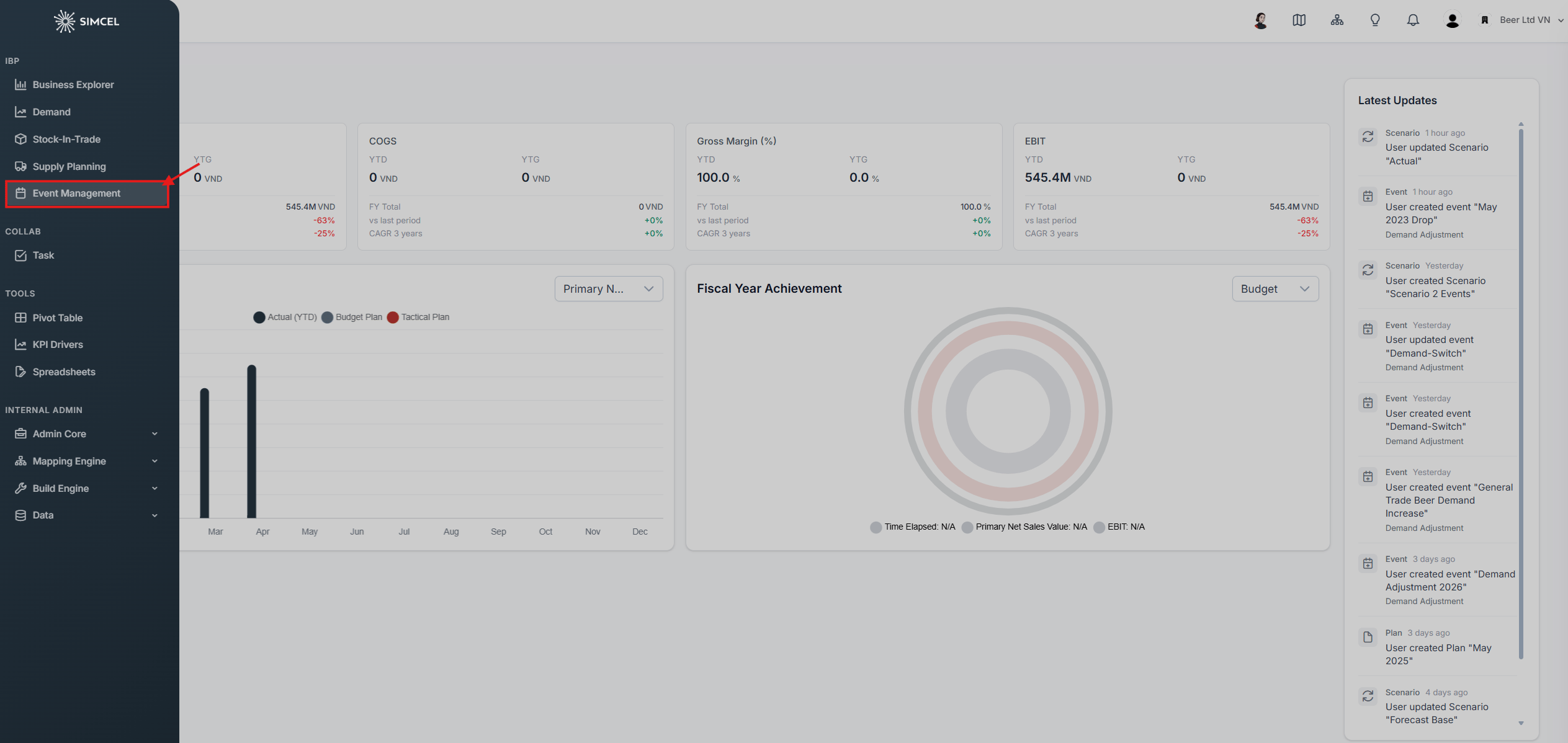
The SIMCEL Event Management page
Filter events in the event timeline
The event timeline provides the same filters as the demand planning page. You can filter events by their impacted segments.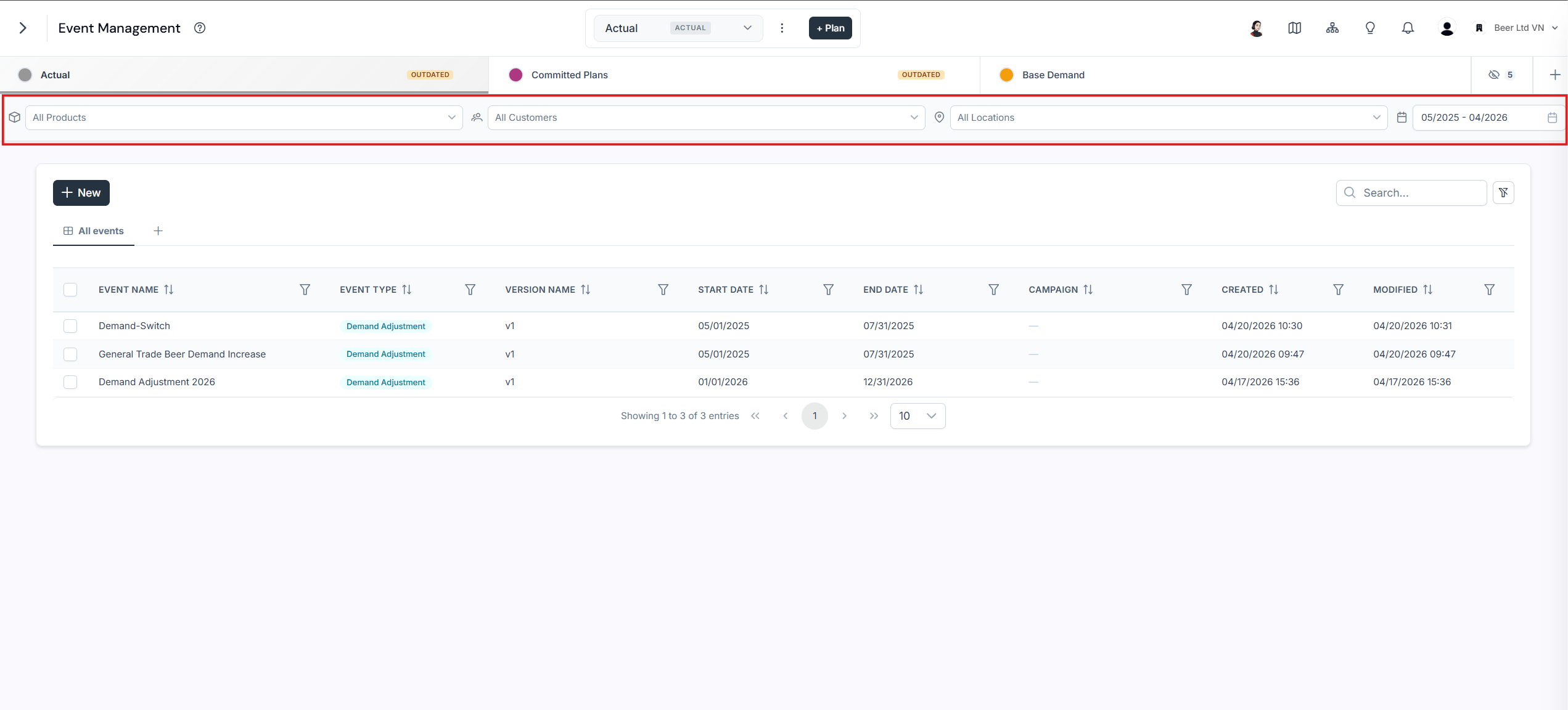
Filtering the event timeline by impacted segment
Create trade and marketing events
Event with one impact on sub-segments
1
Name the new event
Enter a name for the event.
2
Select the event type
Select Demand Adjustment as the event type.
3
Name the version
Enter a version name for this set of impacts.
4
Add the impact
Click Add Impacts and, in the new box:
- Select the period.
- In the product search box, type and select the product segments.
- In the customer search box, type and select the customer segments.
- Select % Percent to adjust demand by percentage, or # Units to adjust by absolute units.
- In the Delta Adjustment section, set the adjustment value manually.
- Save the impact.
5
Save the event
Click Save to store the event.
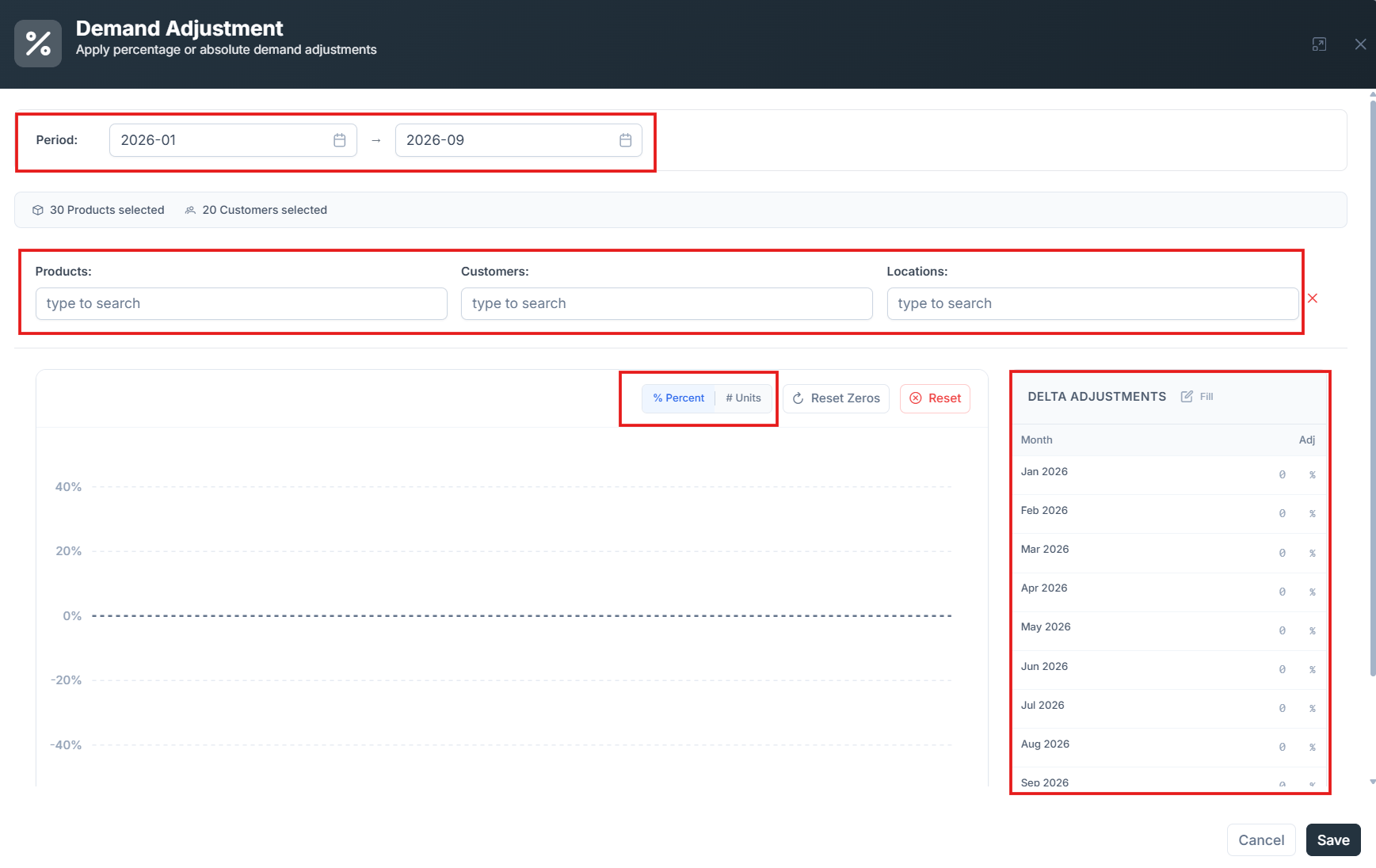
A demand adjustment event with a single impact on a sub-segment
Event with multiple impacts on multiple segments
1
Name the new event
Enter a name for the event.
2
Select the event type
Select Demand Adjustment as the event type.
3
Name the version
Enter a version name for this set of impacts.
4
Add the first affected segment
Click Add Impacts and, in the new box:
- In the product search box, type and select the product segment.
- In the customer search box, type and select the customer segment.
- Select % Percent to adjust demand by percentage, or # Units to adjust by absolute units.
- In the Delta Adjustment section, set the adjustment value manually.
- Select the period.
- Save the impact.
5
Add the second affected segment
Click Add Impacts again and, in the new box:
- In the product search box, type and select the product segment.
- In the customer search box, type and select the customer segment.
- Select % Percent to adjust demand by percentage, or # Units to adjust by absolute units.
- In the Delta Adjustment section, set the adjustment value manually.
- Select the period.
- Save the impact.
6
Save the event
Click Save to store the event with both impacts.
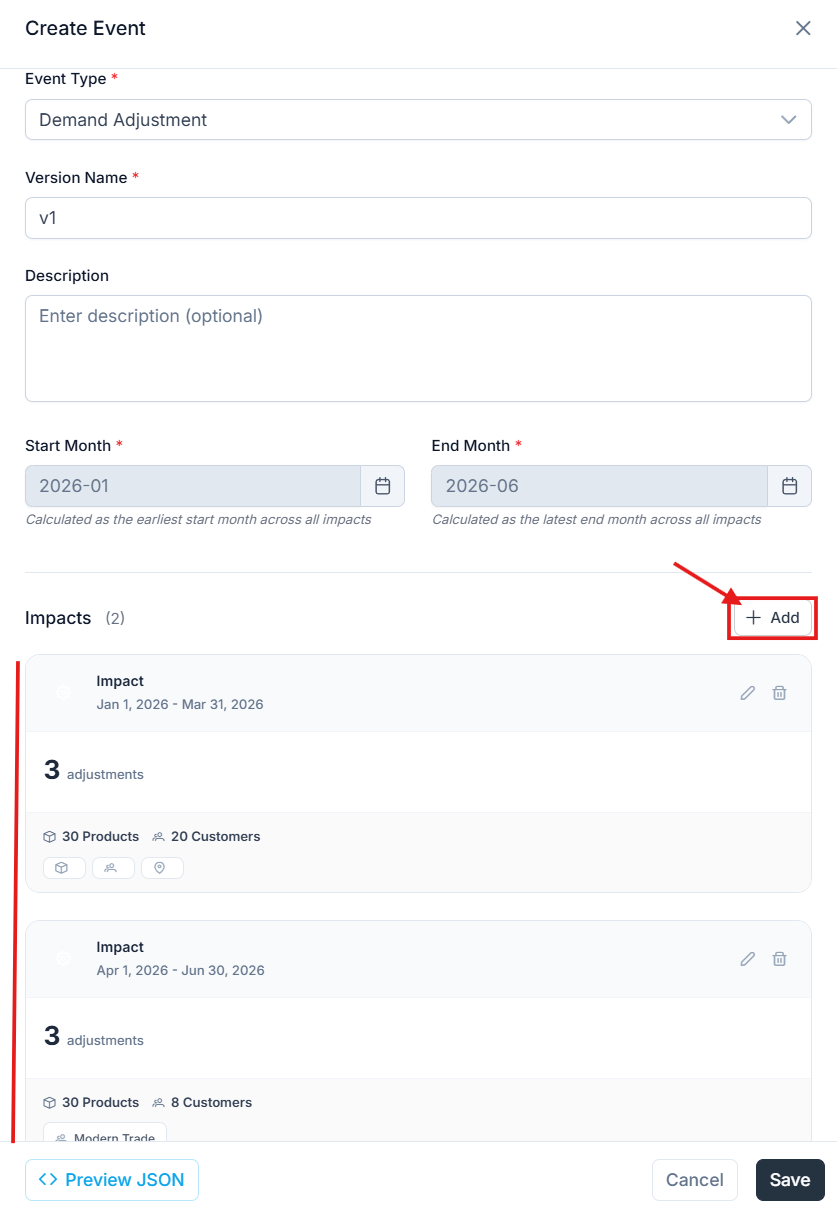
A demand adjustment event with impacts on two different segments