
.svg?fit=max&auto=format&n=NwcmN3Uz2rKt7z_Z&q=85&s=5062a9f3b73c4eb9710e4e28d530d3dd)
What is a forecast override?
A Forecast Override event is designed to enable top-down sales target setting within the demand planning process. Rather than relying solely on bottom-up statistical forecasts, you can directly input strategic demand targets — such as monthly sales goals for a product line, customer segment, or channel — based on business priorities, commercial strategy, or executive direction. You can define these targets at any level of aggregation — national, regional, customer group, or product family — and SIMCEL automatically disaggregates the override down to the transaction level, which is the most granular forecastable unit in the system (typically product x customer x week). This atomization process relies on historical patterns of trend, seasonality, and distribution behavior to spread the override intelligently across lower levels, preserving realistic demand dynamics and operational feasibility. The result: your team can enforce top-down sales intent while staying coherent with statistical models and historical performance, giving you an integrated and flexible demand planning workflow.How to create a forecast override event
1
Create a new forecast override event
- Navigate to the Events module.
- Create a new event of type
Forecast Override. - Set the Event name (for example,
Modern Trade July Campaign). - Set the Version (optional).
2
Select the target segment
Click Add to set up the target. In the dialog that opens:
- Select the segment you want to affect (for example,
Modern Tradefrom the customer segmentation tree). - Enter the value to override, either absolute units or a monetary amount.
- Click Save to close the dialog.
3
Submit the event
- Click Save to finalize the override event.
- The new event is now available for assignment to a scenario.
4
Apply the event to a scenario
- Open the relevant scenario and click Edit.
- In the Event section, select and assign the new
Forecast Overrideevent.
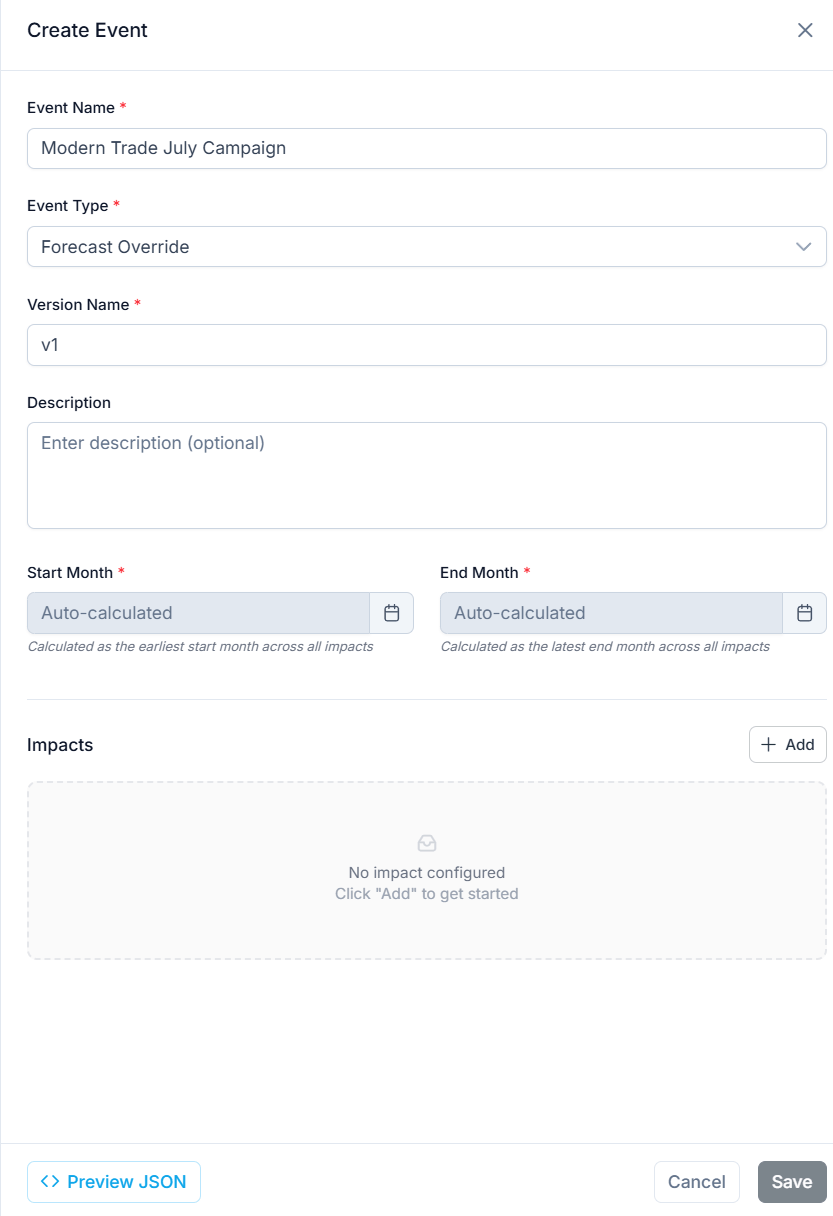
Creating a new event of type Forecast Override
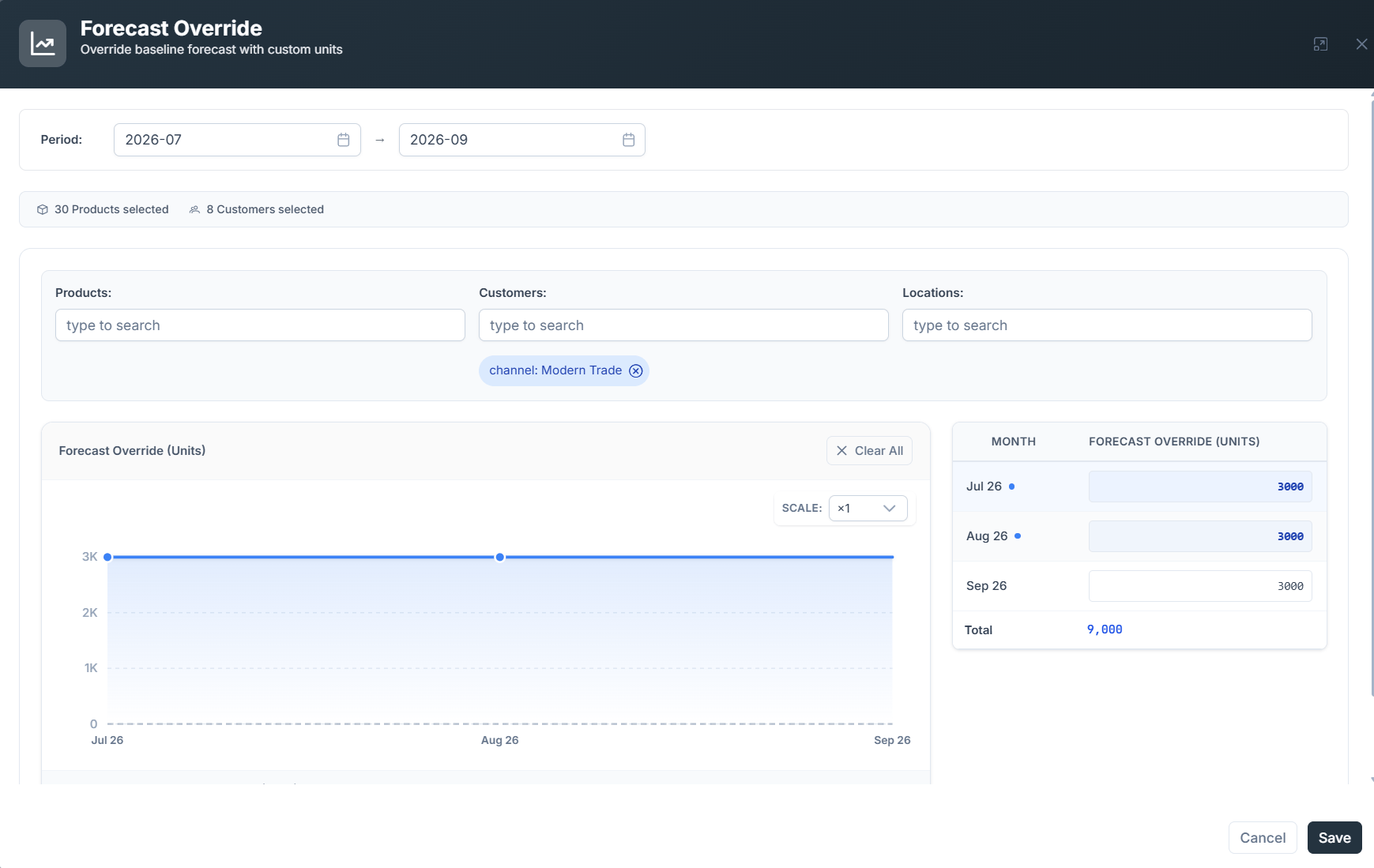
Setting the override target for a customer segment
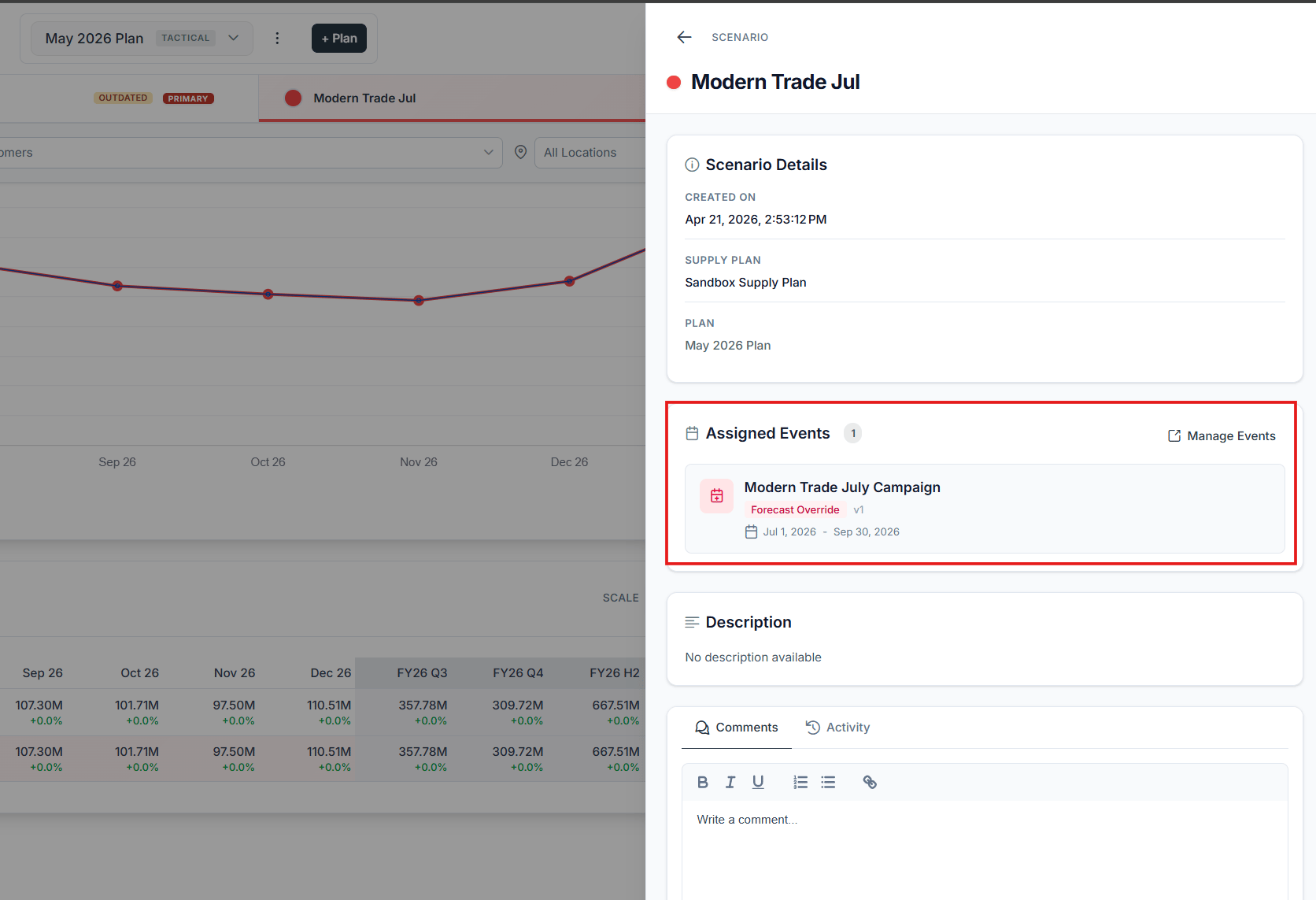
The scenario forecast recomputed with the override applied