
.svg?fit=max&auto=format&n=NwcmN3Uz2rKt7z_Z&q=85&s=5062a9f3b73c4eb9710e4e28d530d3dd)
Introduction
SIMCEL lets you create interconnected plans to simulate your supply chain over different periods. Each plan’s output informs the next, ensuring continuity. The back-end process of initializing new plans from the existing list is what maintains this seamless chain. This page covers the rules and processes for plan creation, initialization, and continuity.Key concepts
- Actual data - Historical supply chain data such as inventory, sales, and production output.
- Primary scenarios - Each plan includes one primary scenario, which determines the plan’s output. In reality, the implementation of the plan is based on this scenario.
- Plan dependencies - Dependencies between plans are inferred from their start times. A plan depends on the latest prior plan.
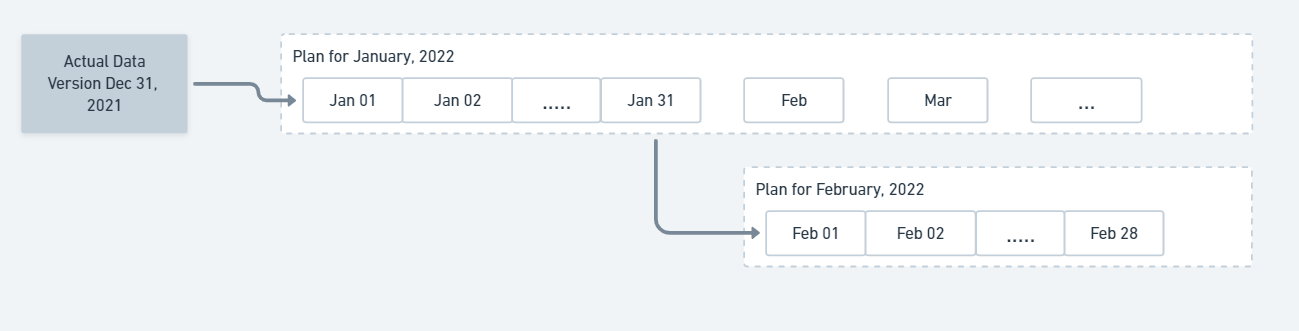
Plan dependencies are inferred from plan start times
- Future plans - Any plan with a start date later than the actual plan end date.
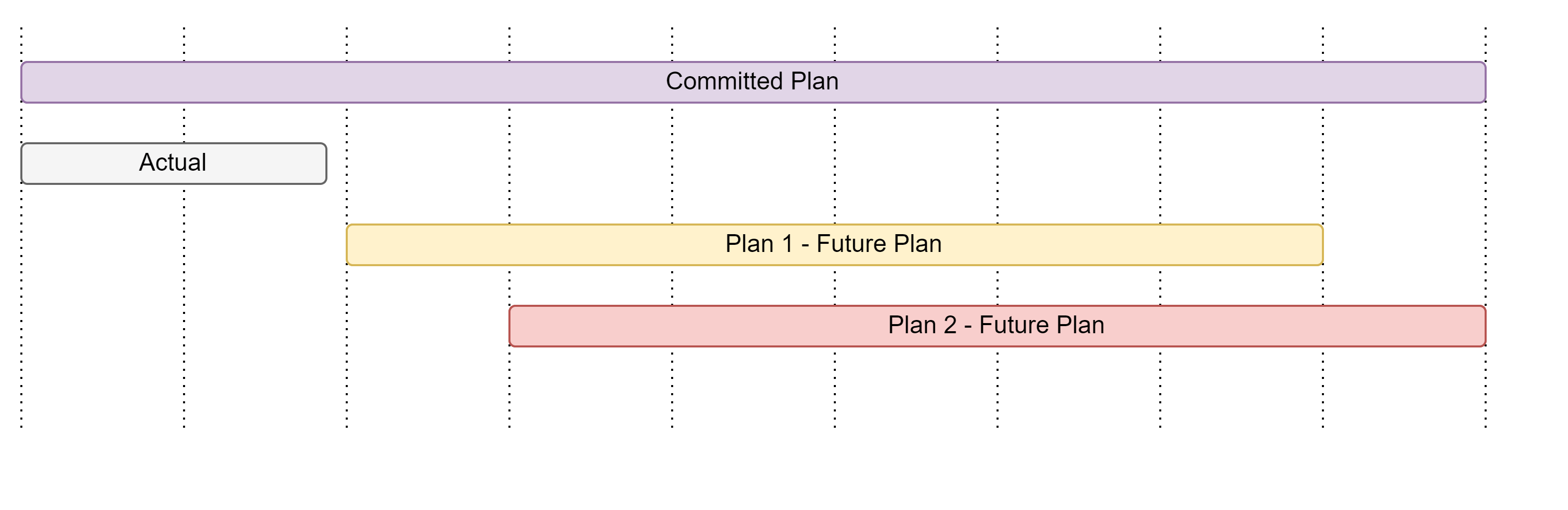
Future plans start after the end of the actual data period
- Forecast base - A statistical demand projection based on historical sales, excluding past demand events that influenced those sales. It serves as the preliminary input for the planning exercise in SIMCEL.
Plan initialization
Plan initialization in SIMCEL is a back-end procedure that ensures the system handles the creation of new plans accurately. These are the key steps that run when a plan is created.1
Run the forecaster
SIMCEL uses the selected forecasting method to generate Sales Out forecasts (sales from primary to secondary customers).
2
Update the forecast base
SIMCEL checks the primary scenario of the previous plan (the dependent plan). The outcome depends on whether that scenario contains events:
- No events applied - If no events were applied to the primary scenario, the forecaster result becomes the forecast base of the new plan without any adjustments.
- Events found - If any events were applied in the previous plan’s primary scenario, all of these events are used to shape the forecaster result. This adjusted forecast then becomes the forecast base of the new plan.
Plan continuity
Plan continuity in SIMCEL ensures that each planning period connects smoothly to the next.Data source for the plan connection
- Connecting with actual data - If the selected plan connects with actual data, it uses that actual data as the reference for parameters.
- Connecting without actual data - If the plan does not connect with actual data, it uses the primary scenario from the preceding plans. In SIMCEL, this subset of data is called Update Current.
Ending stock initialization
The ending stock from the selected reference data (determined in the previous step) is used as the initial inventory for the new plan.How it works
SIMCEL runs simulations in daily steps, starting from an initial dataset and progressing one day at a time.Example
Context:- Actual data - October 2021 to December 31, 2023
- Future plans:
- Quarter 1 - 2024 (Plan 1): January 1, 2024, to December 2025
- Quarter 2 - 2024 (Plan 2): April 1, 2024, to March 2026
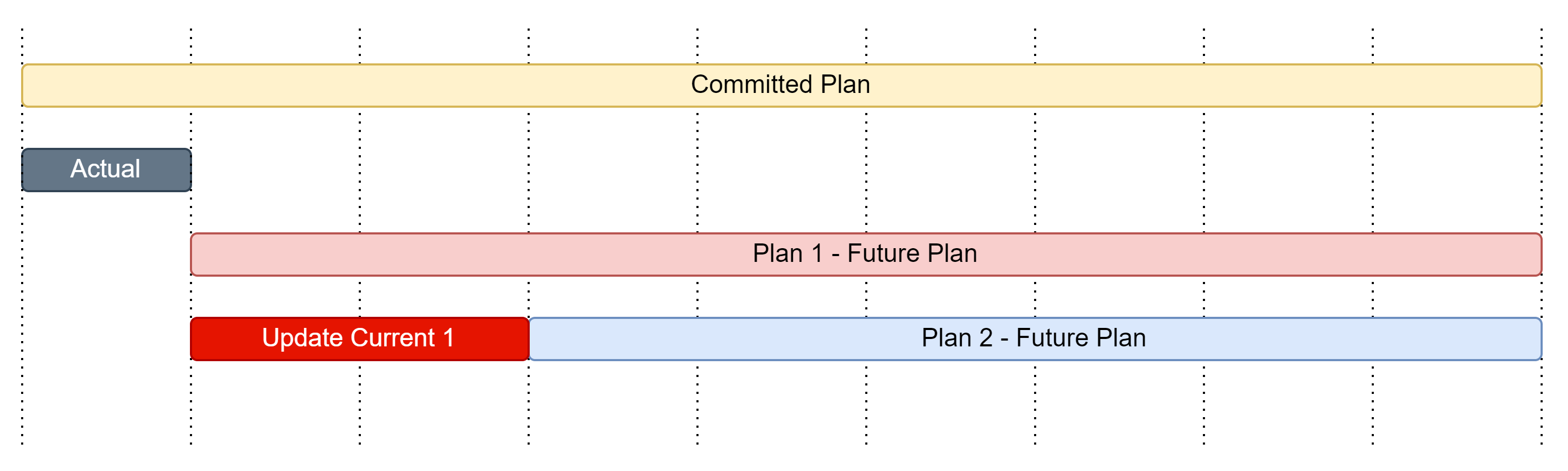
Quarter 2 initializes from the Quarter 1 primary scenario when actual data is missing
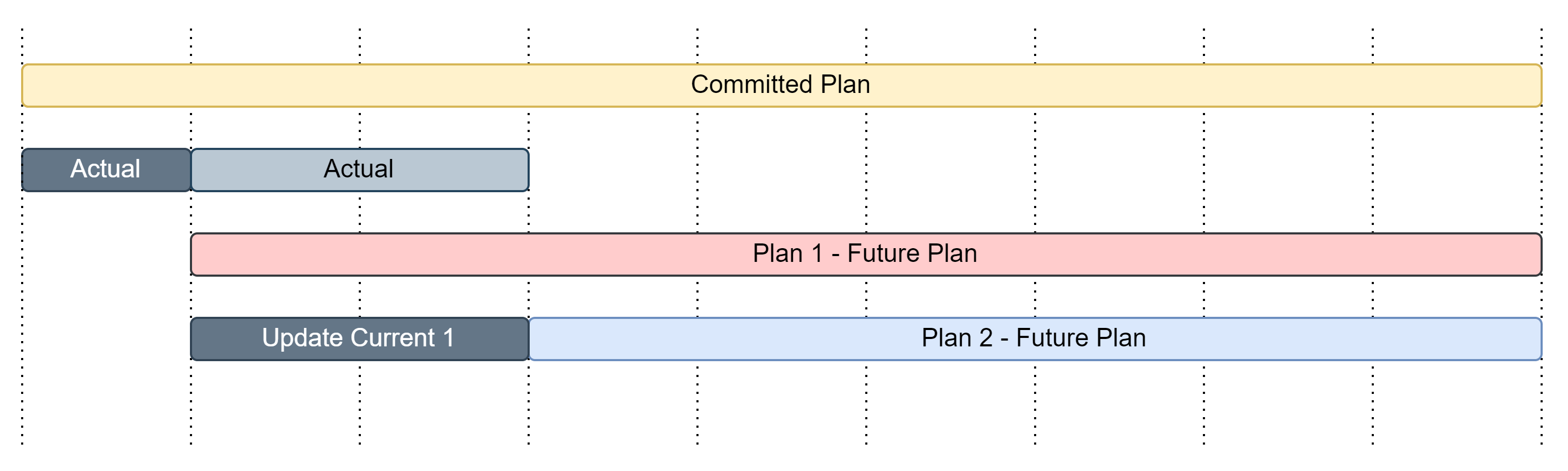
Quarter 2 initializes from actual data once it is uploaded