
.svg?fit=max&auto=format&n=NwcmN3Uz2rKt7z_Z&q=85&s=5062a9f3b73c4eb9710e4e28d530d3dd)
Demand events
Under the IBP section on the left-hand side panel, click Event Management.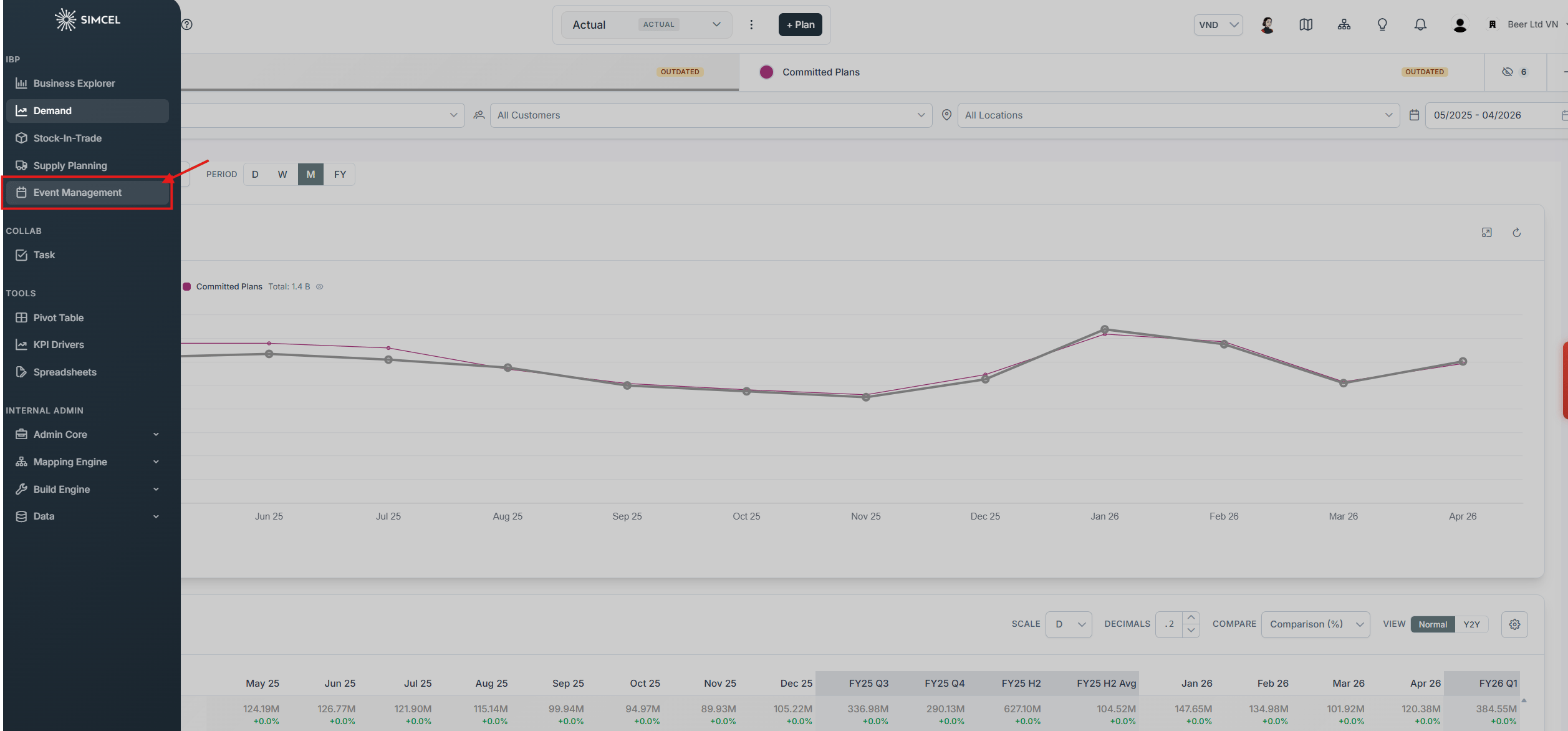
Event Management in the left sidebar, under the IBP section
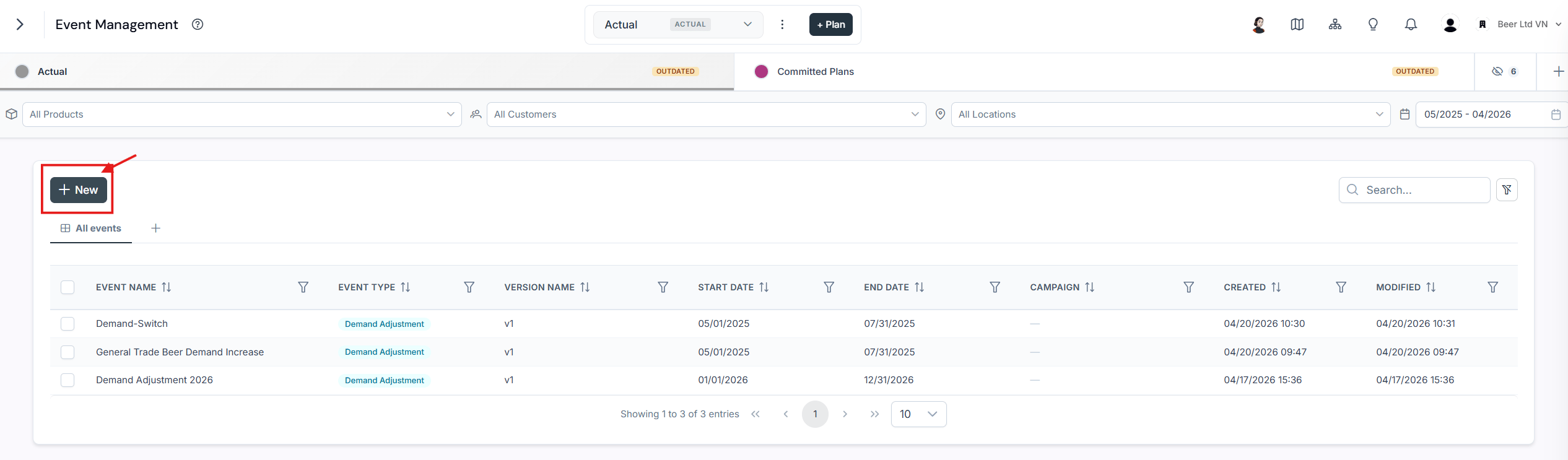
The New button on the Event Management page
- Demand Adjustment - Increase or decrease demand due to internal or external events.
- New Demand Stream - Manually create future demand for new products.
- Forecast Override - Manually override the initial future demand forecasted by SIMCEL.
- Pricing Adjustment - Manually set or adjust the price of your products.
- Trade Terms - Model trade expenses and calculate the net sales value.
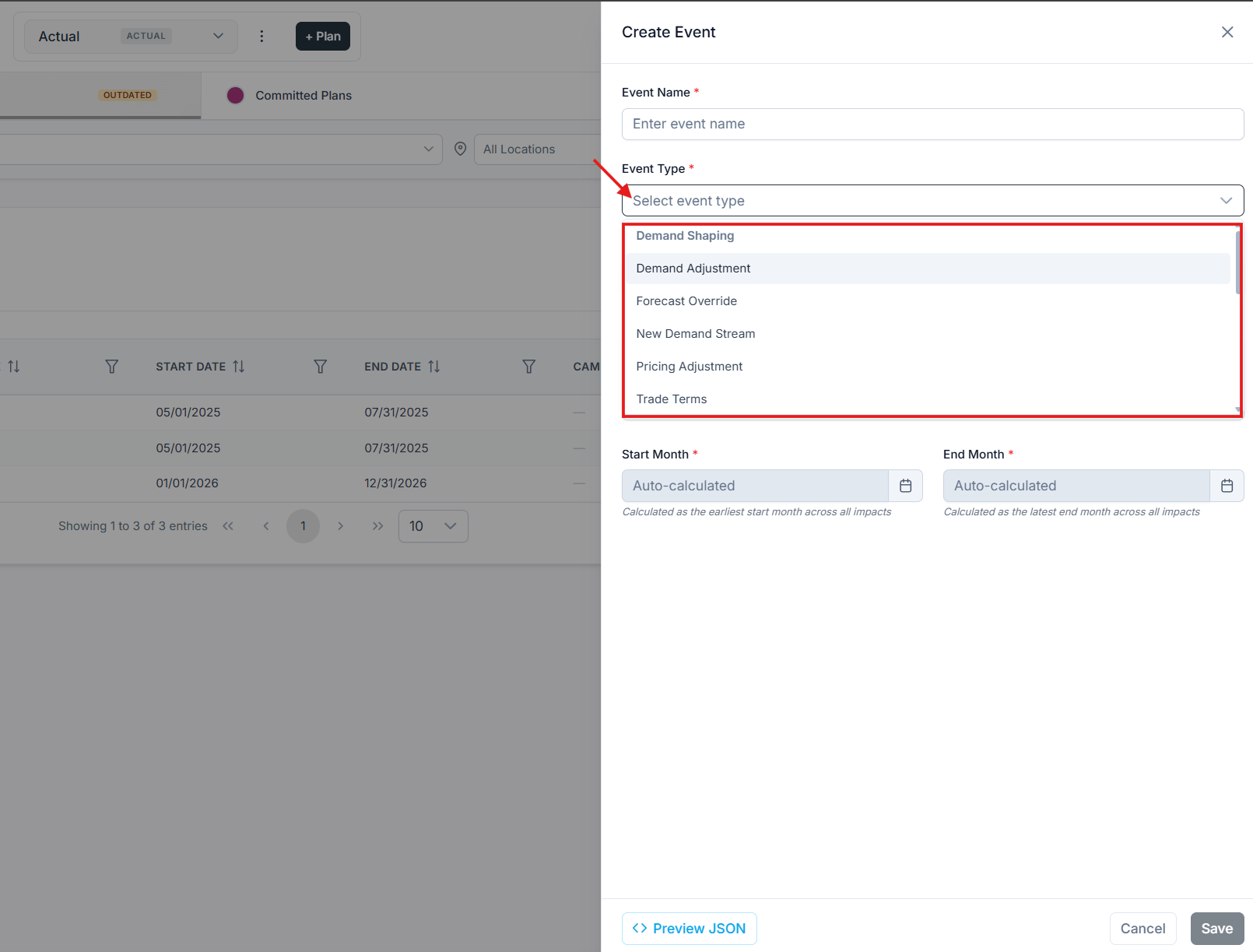
The available event types
Create and assign an unplanned event
Imagine demand decreased by 40% in May 2023. Create an event to capture it.1
Name the event
Name the new event May 2023 drop.
2
Select the event type
Select Demand Adjustment.
3
Name the version
Name the version V1.
4
Set the period
Select the period from Jan 2023 to May 2023.
5
Set the impact
In the Delta Adjustment section, set the value to -40%.
6
Describe the event
Write a description of the event. This is optional.
7
Save
Click Save.
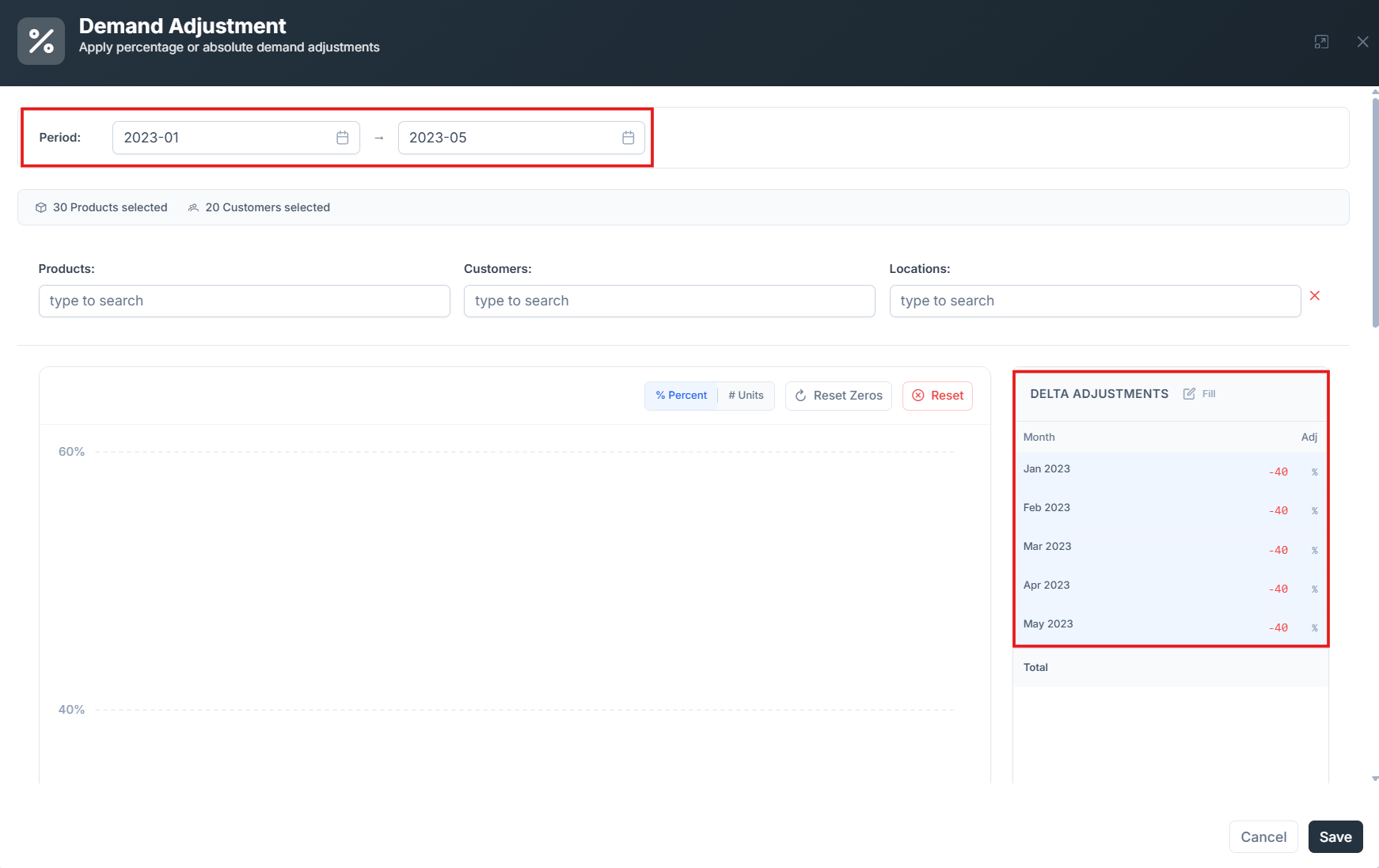
Configuring the May 2023 drop demand adjustment event
There are two methods for adjusting values:
- By percentage - For example, a demand decrease of 40%.
- By absolute value - For example, a decrease of 50,000 units.
Assign the event to actual
Go back to the Demand Planning page by choosing Demand in the left side panel.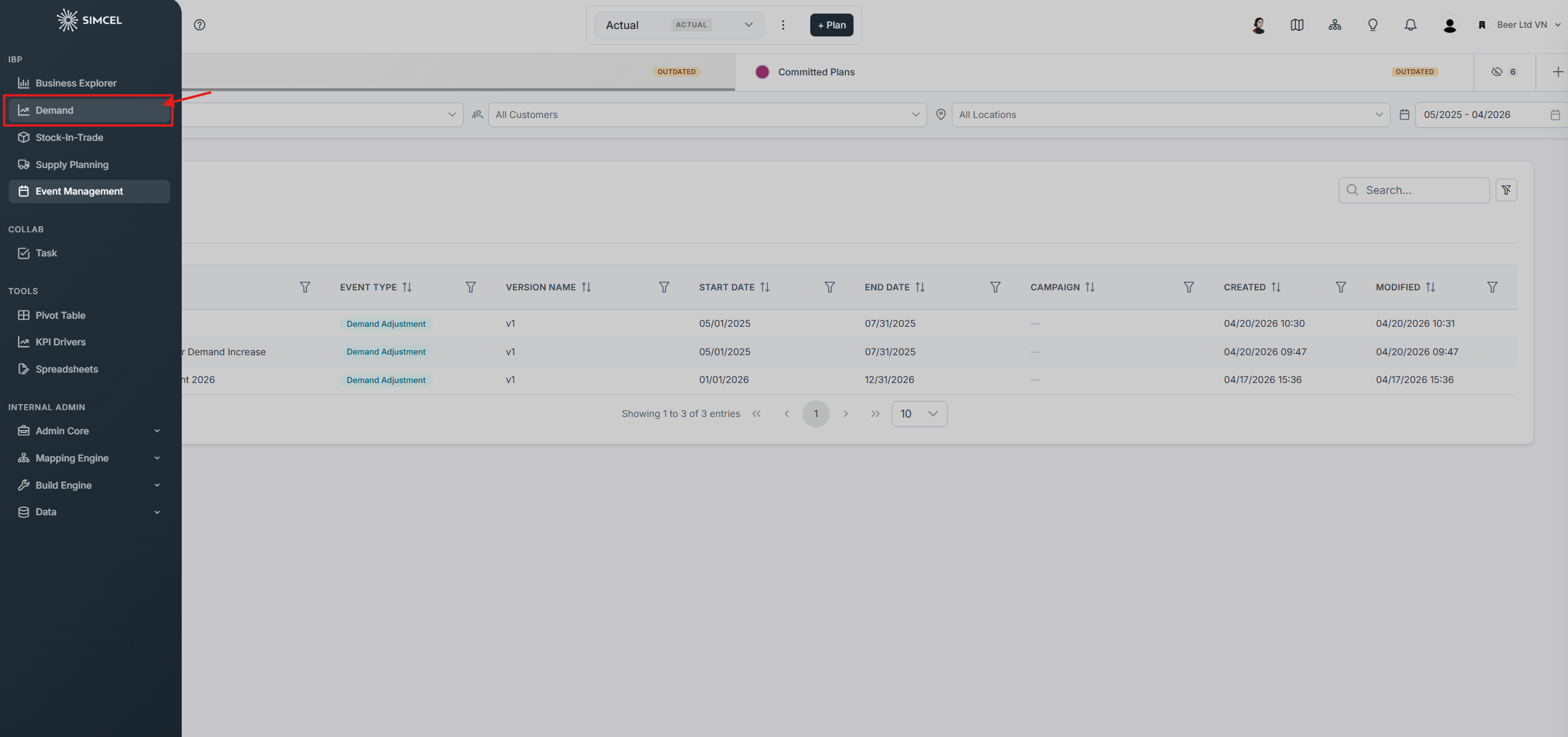
Returning to Demand Planning from the left sidebar
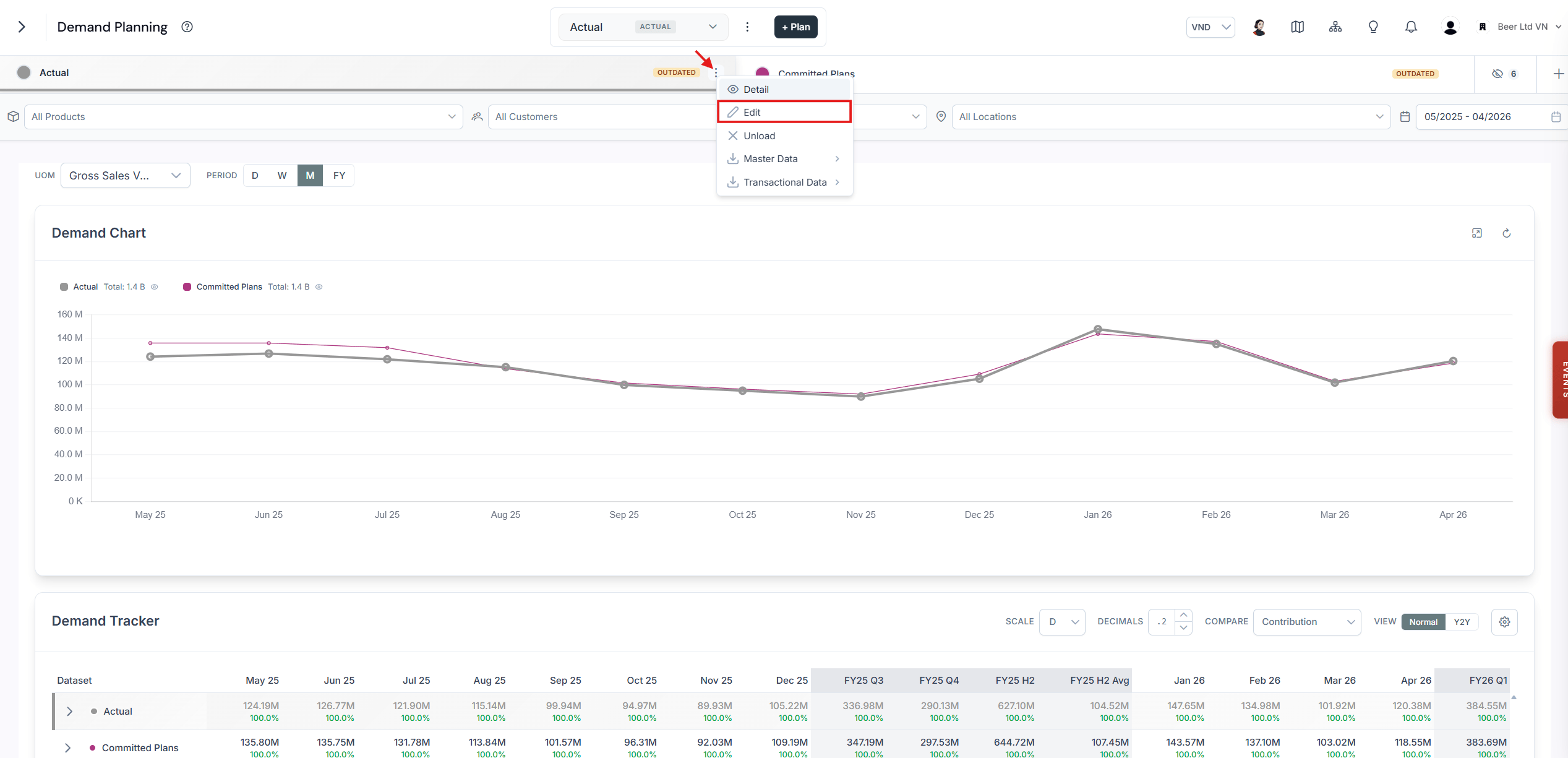
The Edit option in the Actual dataset menu
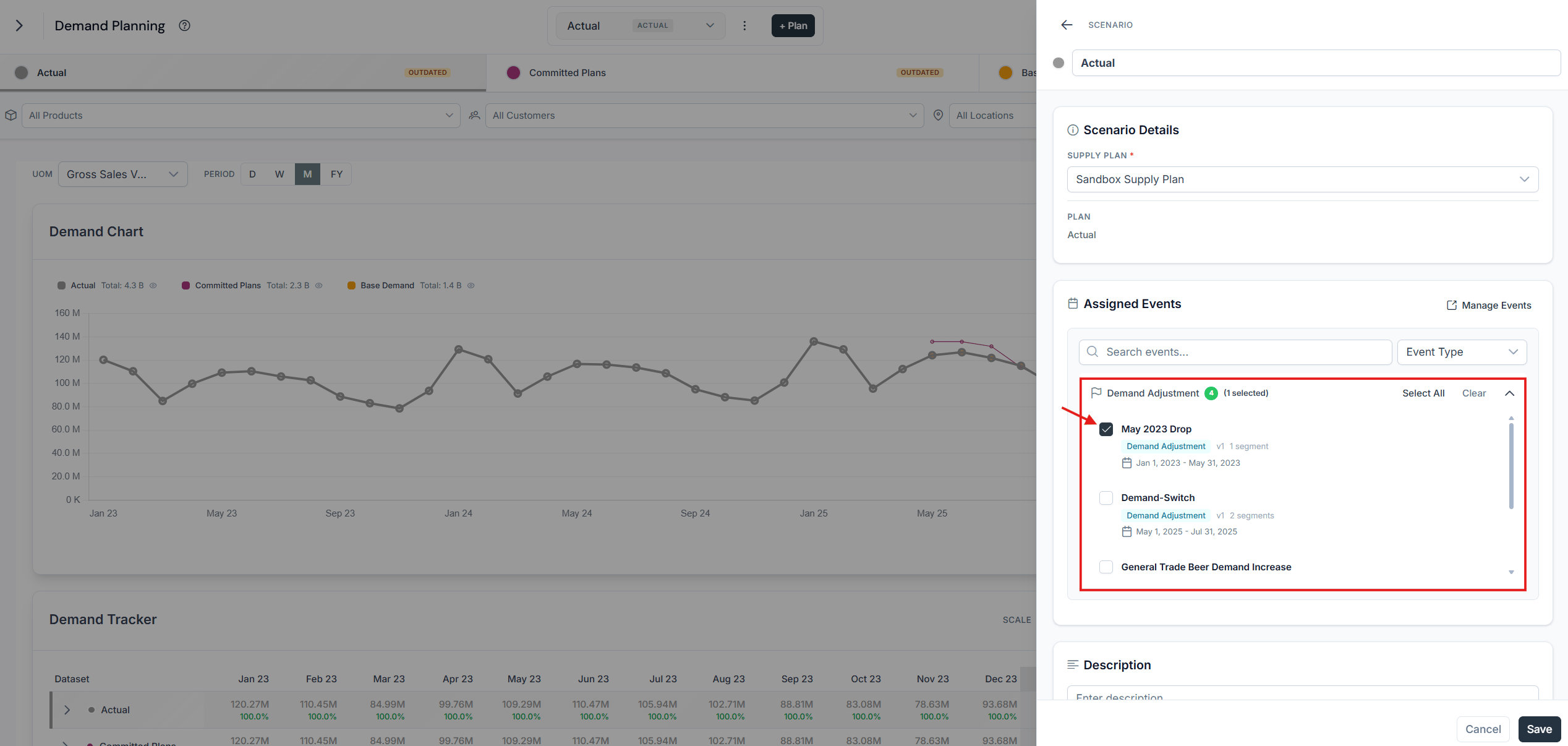
Selecting the May 2023 drop event for the Actual dataset
You have assigned an unplanned event to the Actual plan, and you can already see the change on the Base Demand.
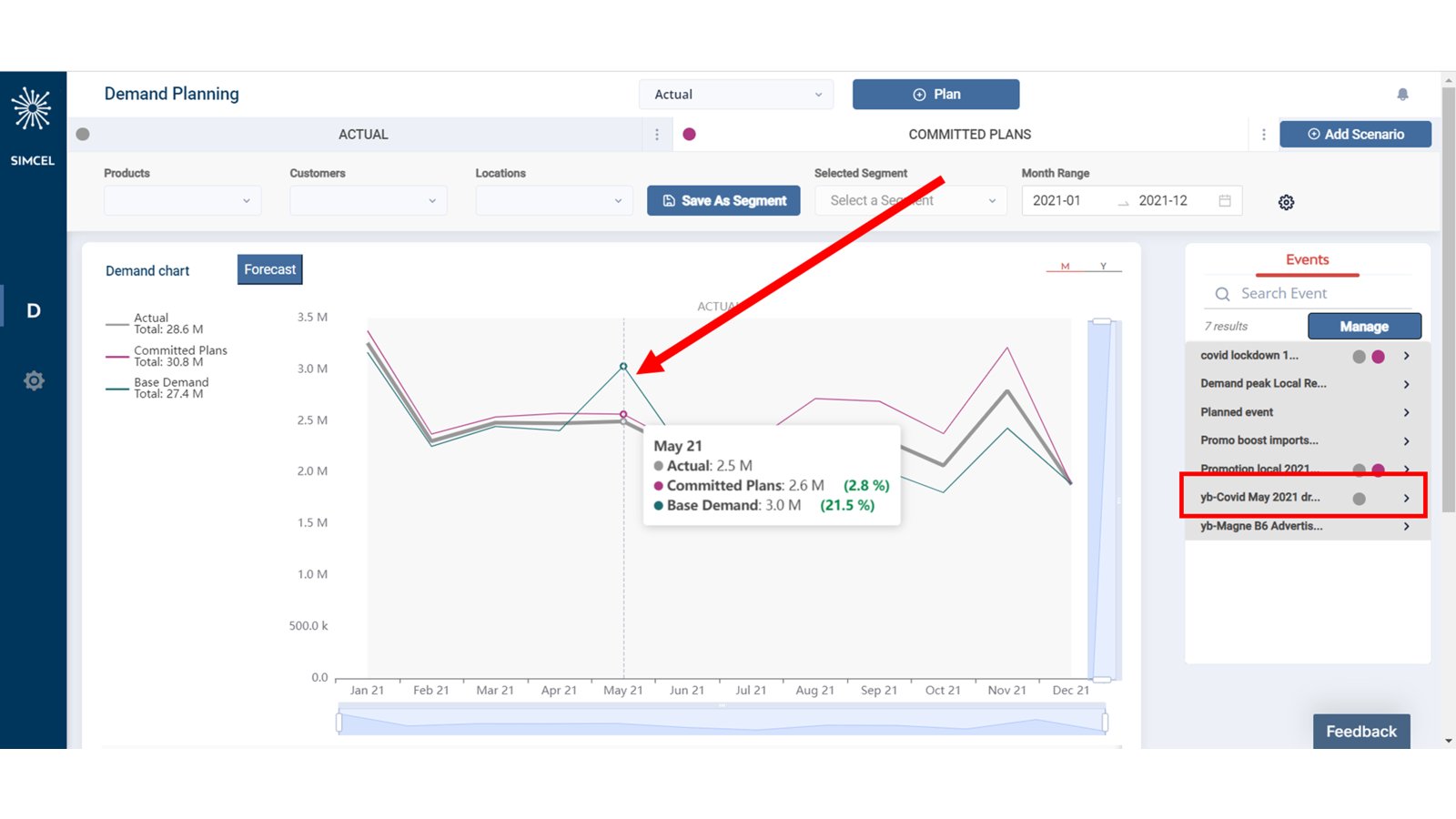
Base Demand updated after the event is assigned
Adjust base demand with realized performance
Go back to the Event Management page, expand May 2023 drop, and click Duplicate.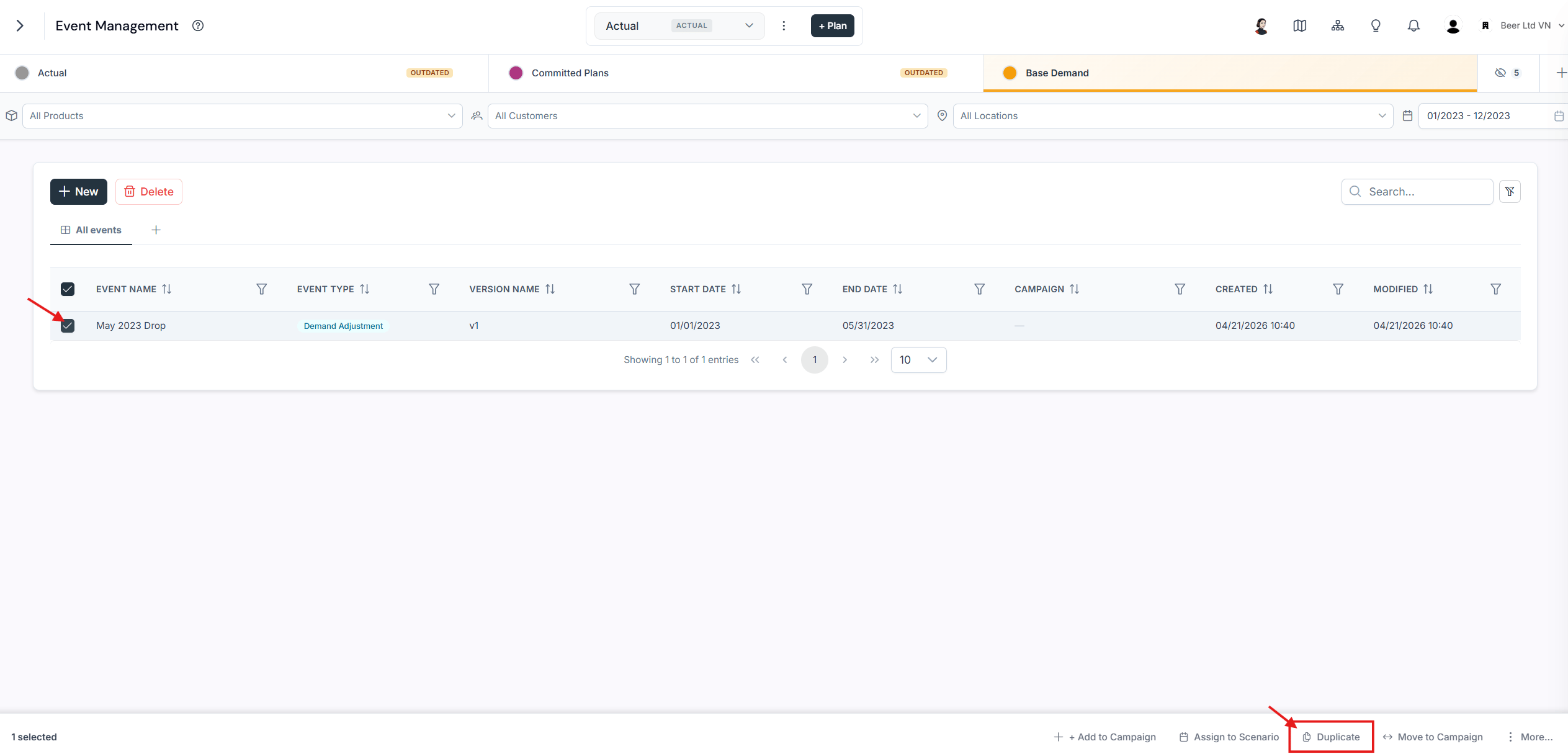
Duplicating an existing event
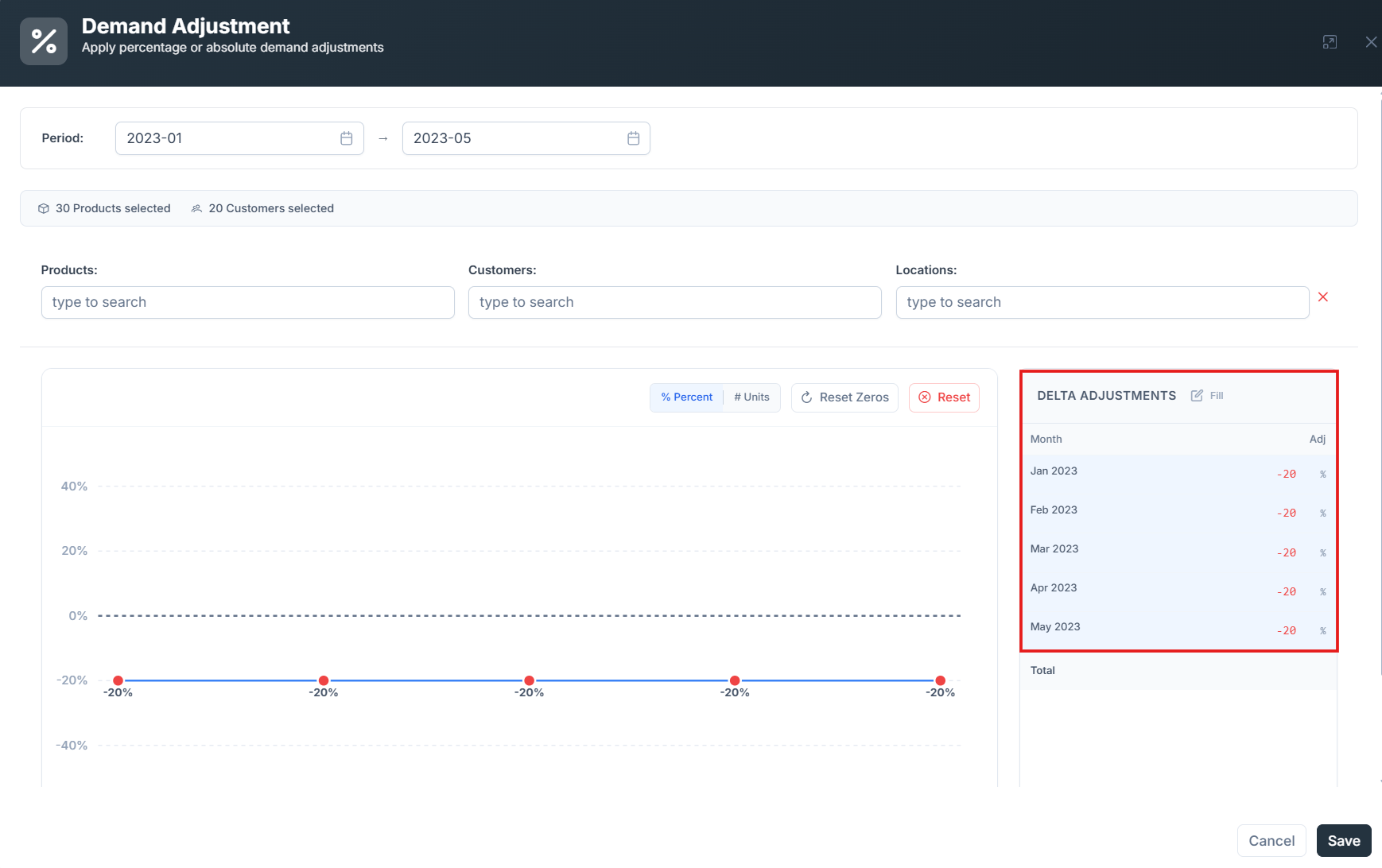
Editing the duplicated event version to a -20% impact
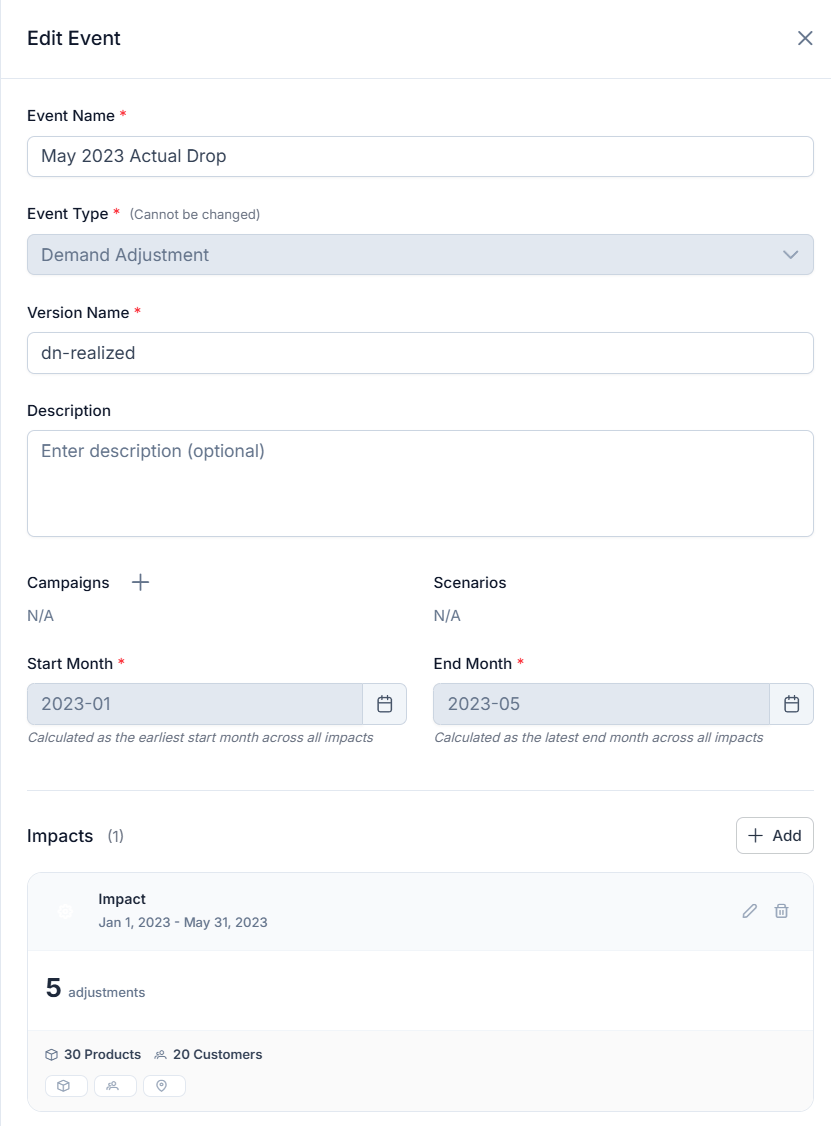
The duplicated event version saved
You have adjusted your Base Demand with the actual performance of a planned trade and marketing event.